How to Identify Phishing Emails and Email Scams
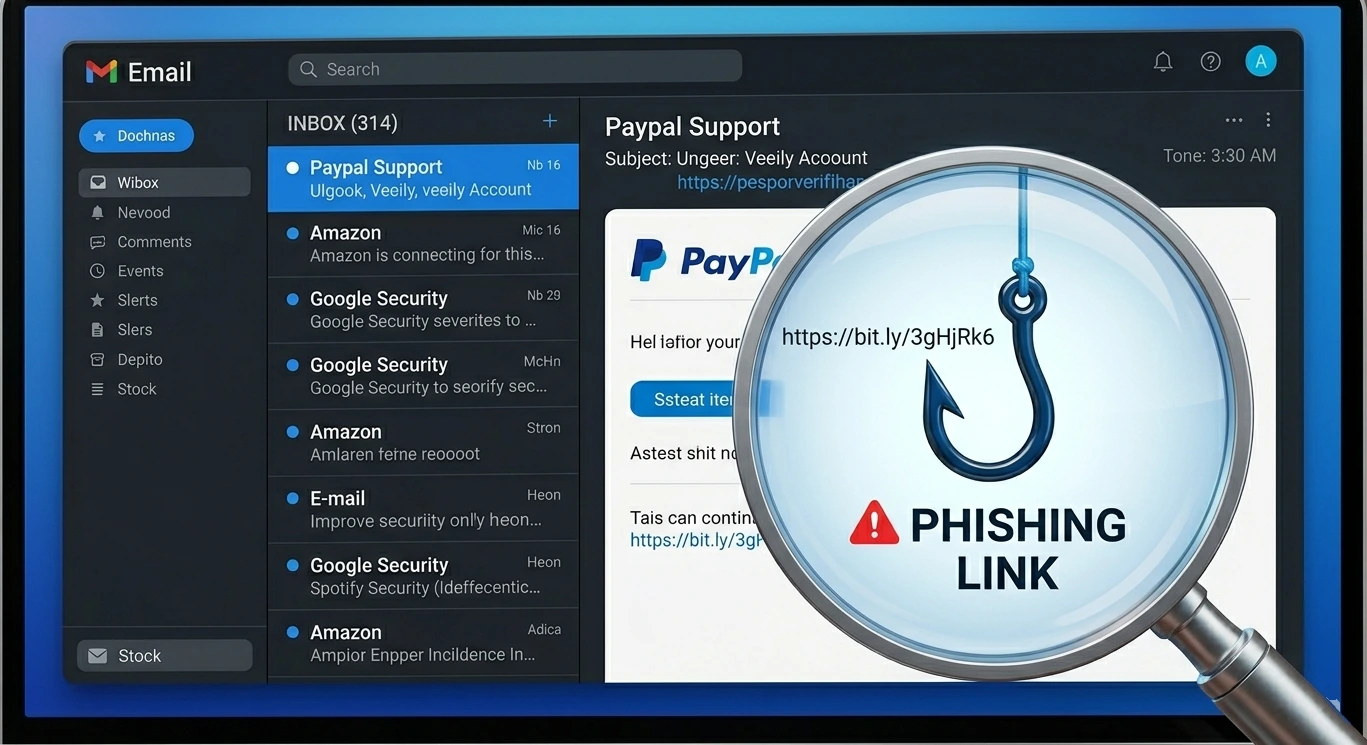
What Is a Phishing Email?
A phishing email is a fraudulent message designed to trick you into revealing sensitive information — passwords, card numbers, Social Security numbers — or into clicking a malicious link that installs malware on your device.
The word phishing comes from fishing — scammers cast a wide net hoping someone takes the bait. Unlike targeted attacks, most phishing emails are sent to millions of addresses at once. The scammer does not need a high success rate — even a fraction of a percent of millions is enough to be profitable.
Modern phishing emails are sophisticated. They copy the exact design of real emails from your bank, PayPal, Amazon, or Microsoft. They use real logos, real fonts, and real-sounding language. The only way to reliably detect them is to know what to look for beyond the surface appearance.
8 Red Flags That Identify a Phishing Email
These are the signals that reveal a phishing email regardless of how convincing it looks:
1. The sender address does not match the company
This is the single most reliable indicator. Click or hover on the sender name to reveal the actual email address. A real PayPal email comes from @paypal.com — not @paypal-security.com, @paypall.com, or any other variation. Check the domain after the @ symbol carefully.
2. Generic greetings instead of your name
Phishing emails often say Dear Customer, Dear User, or Dear Account Holder instead of your actual name. Legitimate companies that have your account information almost always address you by name.
3. Urgent or threatening language
Phrases like Your account will be suspended within 24 hours, Immediate action required, or Your payment has been declined are designed to make you act without thinking. Real companies give you time and multiple channels to resolve issues.
4. Links that go somewhere unexpected
Hover over any link without clicking it. The URL that appears in the bottom of your browser should match the official company domain. A link that says amazon.com but points to amaz0n-secure.net is a phishing link.
5. Requests for sensitive information
No legitimate company ever asks for your password, full card number, PIN, or Social Security Number via email. Ever. If an email asks for this, it is a scam regardless of how official it looks.
6. Unexpected attachments
Attachments in unsolicited emails are extremely dangerous. A PDF, Word document, or ZIP file from an unexpected sender can contain malware that installs itself the moment you open it. Never open attachments you were not expecting.
7. Poor grammar and spelling
While many phishing emails are now well-written, errors in grammar, unusual capitalization, or awkward phrasing are still common — especially in bulk phishing campaigns generated by non-native English speakers or automated tools.
8. The email was not expected
Did you initiate whatever action this email is about? If you did not request a password reset, did not place an order, did not apply for a loan — the email claiming otherwise is almost certainly a scam.
⚠️ Warning
Scammers can now spoof the From display name so an email appears to come from support@amazon.com while the actual sending address is completely different. Always click the sender name to reveal the real email address — never trust the display name alone.
The Most Common Phishing Email Types in 2025-2026
These are the phishing email categories causing the most damage right now:
Bank and Financial Institution Phishing
Fake emails from Chase, Bank of America, Wells Fargo, or your credit union claiming your account is locked, a suspicious transaction occurred, or your card is being canceled. They link to fake login pages that steal your credentials.
PayPal and Payment Platform Phishing
Fake PayPal emails claiming you received a payment (to make you curious) or that your account is limited. PayPal phishing is one of the most common categories globally due to the platform large user base.
Microsoft and Google Account Phishing
Fake Microsoft 365 or Google Workspace emails claiming your account will be deleted, your storage is full, or someone tried to sign in. These are especially dangerous because they target work email credentials.
Amazon Order Phishing
Fake Amazon order confirmation emails for expensive items you did not order. The goal is to get you to click a cancellation link that leads to a fake Amazon login page.
IRS and Tax Authority Phishing
Fake IRS emails claiming you have a tax refund waiting, owe back taxes, or are under audit. The IRS does not initiate contact via email — any email claiming to be from the IRS is a scam.
Package Delivery Phishing
Fake UPS, FedEx, or USPS emails claiming your package could not be delivered and you need to confirm your address or pay a small fee. These became extremely common during pandemic-era online shopping growth.
Business Email Compromise (BEC)
Targeted phishing where scammers impersonate a CEO, manager, or supplier to trick employees into transferring money or sharing sensitive business data. BEC attacks cause the most financial damage of any phishing category — averaging over $125,000 per incident.
How to Check If an Email Is Legitimate — Step by Step
- 1
Check the sender email address
Click or hover on the sender name to see the actual email address. Compare the domain after @ to the official company domain. Any variation — extra words, numbers, different TLD — means it is fake.
- 2
Hover over all links before clicking
On desktop, hovering over a link shows the real URL in the bottom status bar. On mobile, press and hold the link to preview it. The destination URL must match the official company domain exactly.
- 3
Go directly to the website instead
If the email says there is a problem with your account, do not use any link in the email. Open a new browser tab and go directly to the company official website by typing the address yourself. Log in there and check if the issue actually exists.
- 4
Check email headers for advanced verification
In Gmail: click the three dots next to Reply and select Show original. Look for SPF: PASS and DKIM: PASS — these indicate the email came from an authorized server for that domain. A FAIL on either is a strong sign of spoofing.
- 5
Use the Scam Detector at WhatIsThisCharge.net
Paste the email content or any suspicious link into the free Scam Detector tool. It analyzes the content, links, and patterns in seconds and gives you an instant verdict on whether it is a scam.
💡 Tip
The fastest way to verify any suspicious email: do not click anything in it. Instead, open a new browser tab, go directly to the company official website, and log in there. If there is really a problem with your account, you will see it when you log in normally.
Tips to Protect Yourself from Email Phishing
Enable two-factor authentication on all important accounts — even if your password is stolen, 2FA blocks access.
Always check the actual sender email address, not just the display name shown in your inbox.
Use WhatIsThisCharge.net Scam Detector to instantly check any suspicious email or link.
Use a separate email address for online shopping and subscriptions to keep your main inbox cleaner and safer.
Enable login alerts on your bank and email accounts so you know immediately if someone accesses them.
When in doubt, call the company directly using the number on their official website — never the number in a suspicious email.
Frequently Asked Questions About Phishing Emails
💡 Tip
Got a suspicious email right now? Paste the content or any links into the free Scam Detector at WhatIsThisCharge.net — it tells you in seconds whether it is a phishing attempt.
Was this article helpful?