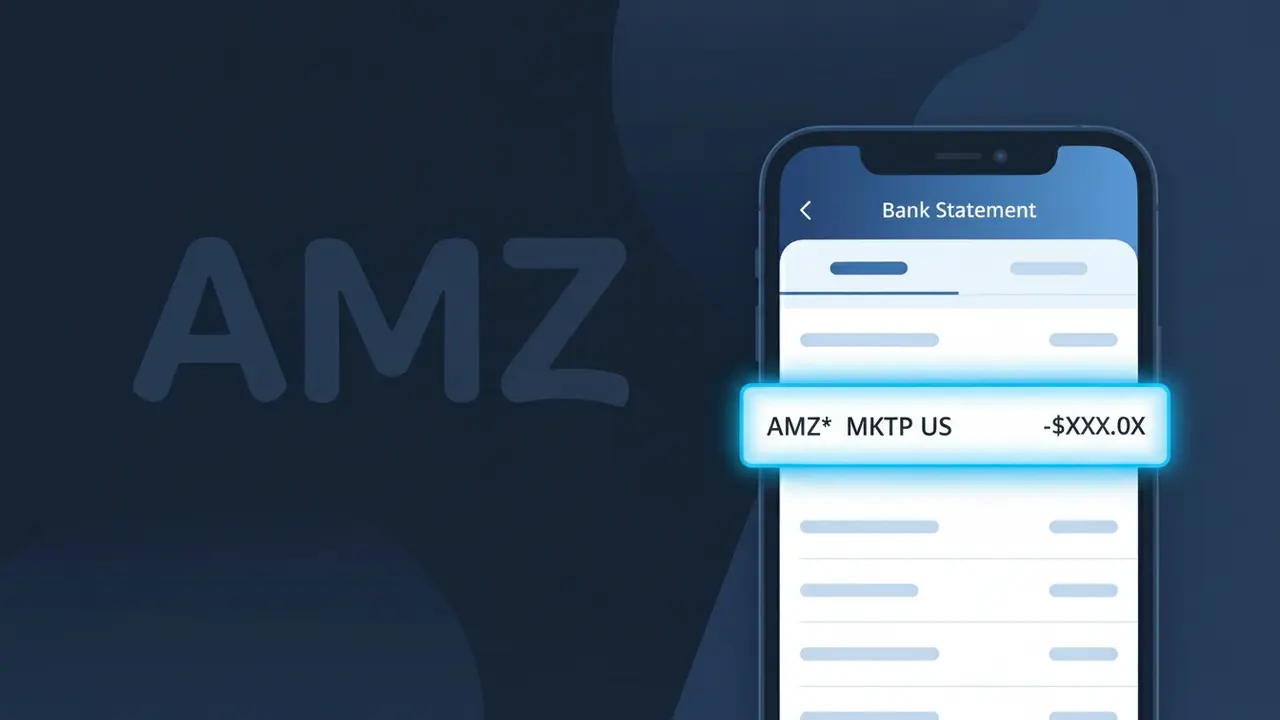
AMZN MKTP US Charge (What It Is + Is It Legit?)
✓ LegitimateThe "AMZN MKTP US" charge is from Amazon Marketplace. A purchase made on Amazon.com marketplace.

Amazon Marketplace
A purchase made on Amazon.com marketplace.
Category
Shopping
Avg. Charge
$34.99
Country
US
Billing Cycle
One-time
Cancel At
amazon.com/orders
Support
See website
What is this charge?
Amazon processes marketplace transactions through its internal billing systems under abbreviated merchant identifiers, which is why your bank statement shows "AMZN MKTP US" rather than the full "Amazon Marketplace" name. The truncation happens because bank statement fields have strict character limits, so Amazon's payment processing infrastructure compresses the merchant descriptor into a shorthand format — "AMZN" for Amazon, "MKTP" for Marketplace, and "US" to indicate the domestic American billing entity. If you recently made a purchase on Amazon.com from a third-party seller or directly from Amazon's marketplace for around $34.99, this charge is almost certainly the culprit.
How to handle this charge
Check Your Amazon Orders
Visit amazon.com/orders and sign in to review your recent order history. The AMZN MKTP US charge corresponds to a purchase made through Amazon Marketplace, so look for an order amount that matches the charge on your bank statement.
Match the Charge Amount
Compare the exact dollar amount of the AMZN MKTP US charge to your Amazon Marketplace orders. Keep in mind that third-party sellers on Amazon Marketplace may process payments separately, so you might see multiple AMZN MKTP US charges if you ordered from different sellers in one session.
Review Your Amazon Marketplace Sellers
If you find the matching order at amazon.com/orders, click on the order details to see which Amazon Marketplace seller fulfilled it. Third-party sellers operating through Amazon Marketplace commonly appear as AMZN MKTP US on bank statements even though they are independent sellers.
Manage or Cancel the Order if Needed
If you recognize the charge but want to return or cancel the Amazon Marketplace order, go to amazon.com/orders, select the relevant order, and use the Return or Cancel Items option. If you do not recognize the AMZN MKTP US charge at all after reviewing your orders, contact Amazon customer support immediately to report the unauthorized transaction.
Quick fraud check
No, this is a legitimate charge from Amazon Marketplace. However, if you did not authorize this charge or cancelled your subscription, you may be eligible for a refund.
ℹ️ Note
In most cases, seeing "AMZ*" on your statement is completely normal. Before assuming fraud, check your recent purchases — most mystery charges have a simple explanation.
Is the AMZ* Charge Legitimate or Fraud?
If you've spotted an AMZ* charge on your bank or credit card statement, it almost certainly originates from AMZ (Amazon). Amazon uses the prefix AMZ* followed by a descriptor to identify purchases, digital content, subscription fees, and third-party marketplace orders processed through its platform.
Common legitimate reasons you may see an AMZ* charge include:
- A recent product purchase on Amazon.com billed under AMZ*
- An Amazon Prime membership renewal appearing as AMZ* PRIME
- A Kindle, Audible, or Amazon Music subscription billed via AMZ*
- A digital video or app purchase from the Amazon marketplace
- A third-party seller charge fulfilled through Amazon, labeled AMZ*
However, if you do not recall any Amazon purchase or subscription, the AMZ* charge could indicate unauthorized account access or a fraudulent transaction that warrants immediate investigation.
How to Verify the AMZ* Charge
- 1
Log into your Amazon account
Visit Amazon.com and navigate to 'Returns & Orders' or 'Account & Lists > Your Account > Order History' to match the AMZ* charge amount and date to a specific order or subscription.
- 2
Search your email for Amazon receipts
Search your inbox for emails from 'auto-confirm@amazon.com' or 'shipment-tracking@amazon.com' around the date of the AMZ* charge to find a matching order confirmation.
- 3
Check your Amazon subscriptions
Go to 'Account & Lists > Memberships & Subscriptions' on Amazon to review active subscriptions like Prime, Kindle Unlimited, or Audible that may be generating recurring AMZ* charges.
- 4
Ask household or family members
If you share an Amazon household account, check whether a family member or authorized user made a purchase that resulted in the AMZ* charge on your card.
- 5
Contact your bank for details
Call the number on the back of your card and ask for the full merchant descriptor associated with the AMZ* charge, which can help pinpoint the exact Amazon service billed.
How to Dispute an AMZ* Charge
- 1
Act within 60 days
Most banks require you to dispute an unrecognized AMZ* charge within 60 days of the statement date, so act quickly once you identify the suspicious transaction.
- 2
Contact Amazon customer service first
Reach out to AMZ directly at amazon.com/contact-us or call 1-888-280-4331. Amazon can often resolve unauthorized AMZ* charges faster than a bank dispute and may issue an immediate refund.
- 3
Secure your Amazon account
If the AMZ* charge is fraudulent, change your Amazon password immediately, enable two-step verification, and review saved payment methods to prevent additional unauthorized charges.
- 4
File a chargeback with your bank
If AMZ cannot resolve the issue, contact your bank or card issuer to formally dispute the AMZ* charge. Provide order details, your communication with Amazon, and the transaction date as evidence.
- 5
Request a new card number
If fraud is confirmed, ask your bank to issue a replacement card so no further unauthorized AMZ* or other charges can be made using your compromised card details.
Tips for Managing AMZ* Charges
Set up Amazon order notifications so every AMZ* charge triggers an instant email or text confirmation.
Review your Amazon Order History monthly to reconcile every AMZ* charge on your bank statement.
Enable two-step verification on your Amazon account to prevent unauthorized AMZ* charges from account takeovers.
Note your Amazon Prime and other subscription renewal dates to anticipate recurring AMZ* billing charges.
Use a dedicated card for Amazon purchases to isolate and easily track all AMZ* charges in one place.
Use WhatIsThisCharge.net to identify related charges that appear alongside AMZ* on your statement.
Frequently Asked Questions
Was this page helpful?
Community Reports (2)
2 votesHave you seen this charge? Help others by voting:
Community Comments (0)
No comments yet. Be the first to share your experience!
Share your experience
Your email is only used to verify your comment and will never be shown publicly.
Search Another Charge
Popular Charges
Netflix
NETFLIX *SUBSCRIPTION
Netflix
NETFLIX.COM *
Apple
APPLE *SUBSCRIPTION
Apple
APPLE.COM/BILL
Spotify
SPOTIFY *SUBSCRIPTION
Related Charges
Need to dispute this charge?
Generate a professional dispute letter in seconds with our AI tool.
Open Charge AssistantCommunity Verified
Real user reports
Free to Use
Always free to check
Secure & Private
Your data is safe
Help Millions
48K+ charges identified