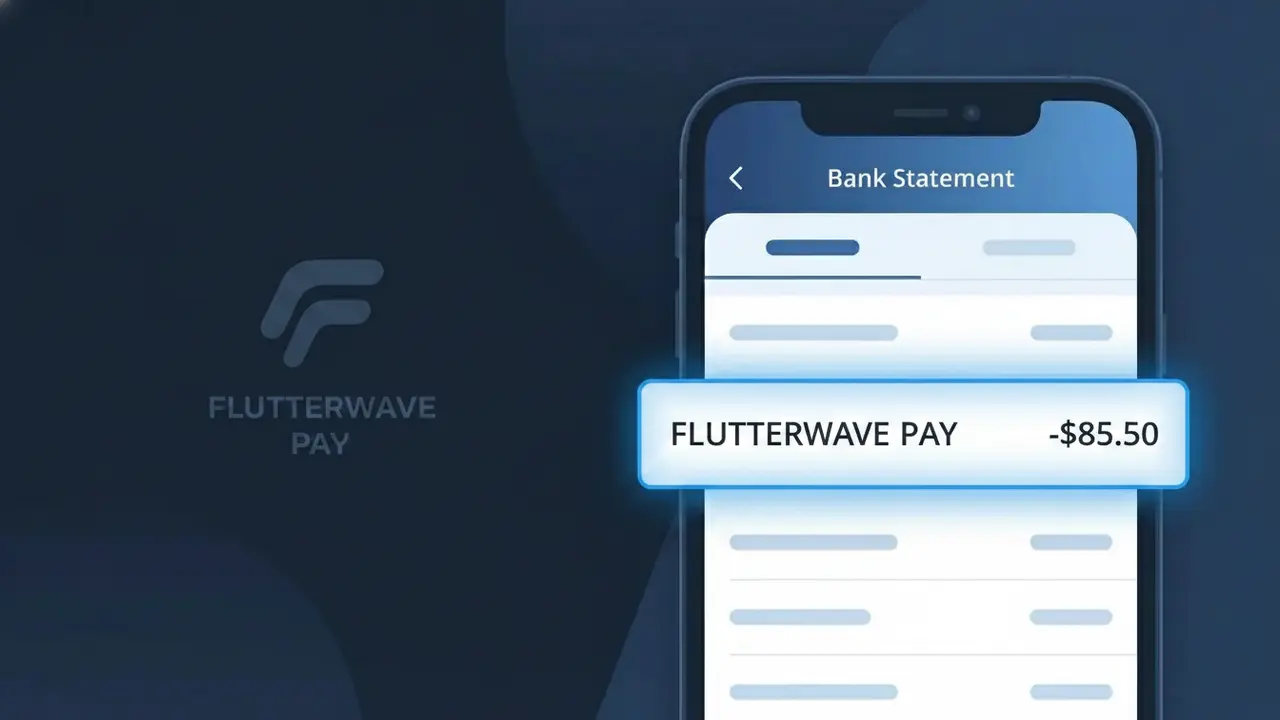
FLUTTERWAVE PAY Charge (What It Is + Is It Legit?)
✓ LegitimateThe "FLUTTERWAVE PAY" charge is from Flutterwave. Payment processed through Flutterwave payment gateway.
Flutterwave
Payment processed through Flutterwave payment gateway.
Category
Finance
Avg. Charge
Variable
Country
NG
Billing Cycle
One-time
Cancel At
N/A
Support
See website
What is this charge?
When you purchase from a merchant or platform that uses Flutterwave as its payment gateway, the transaction is processed through Flutterwave's infrastructure rather than directly by the merchant, which is why your bank statement displays "FLUTTERWAVE PAY" instead of the seller's name. Flutterwave, a Nigerian-founded fintech company, appends "PAY" to its name in the descriptor to indicate that it is acting as the payment processor on behalf of a third-party business rather than billing you directly as a retailer or service provider. This descriptor format is commonly seen across African markets and beyond, where Flutterwave serves as the backbone payment solution for thousands of businesses that may not have their own dedicated merchant processing accounts.
How to handle this charge
Identify the transaction source
Log into any online shopping, subscription, or service accounts you use and check your recent order or payment history. FLUTTERWAVE PAY appears when a merchant uses Flutterwave as their payment gateway, so the charge is linked to a specific purchase you made rather than a direct Flutterwave subscription.
Visit flutterwave.com for details
Go to flutterwave.com and if you have a Flutterwave account, log in to review your transaction history. You can cross-reference the charge amount and date to identify exactly which merchant processed the payment through the FLUTTERWAVE PAY gateway on your behalf.
Contact the original merchant
Since FLUTTERWAVE PAY is a payment processor used by other businesses, reach out directly to the merchant or seller you purchased from around the date of the charge. They can confirm the transaction details and issue a refund or receipt if needed, as Flutterwave processed the payment on their behalf.
Reach out to Flutterwave support
If you cannot identify the merchant behind the FLUTTERWAVE PAY charge, contact Flutterwave directly through the support options on flutterwave.com. Provide the transaction date and amount so their team can trace the payment and connect you with the correct merchant or confirm the legitimacy of the charge.
ℹ️ International processing
This charge is processed in NG. You may see a foreign transaction fee from your bank (typically 1-3%).
Quick fraud check
No, this is a legitimate charge from Flutterwave. However, if you did not authorize this charge or cancelled your subscription, you may be eligible for a refund.
Is the FLUTTERWAVE PAY Charge Legitimate or Fraud?
A FLUTTERWAVE PAY charge on your bank or card statement is most commonly a legitimate transaction processed through Flutterwave, a leading African fintech payment gateway used by thousands of businesses to collect payments online. If you recently made a purchase from an African e-commerce platform, paid for a digital service, or sent money internationally, Flutterwave may have processed that transaction and appears as the descriptor on your statement.
- Flutterwave is a licensed payment processor used by major brands across Africa and globally
- The FLUTTERWAVE PAY label appears when a merchant uses Flutterwave's checkout or payment link system
- Subscription services, online stores, and freelance platforms commonly route payments through Flutterwave
- If you don't recognize the charge, you may have paid a business whose Flutterwave account name differs from their storefront name
How to Verify the FLUTTERWAVE PAY Charge
- 1
Check your Flutterwave account
Log into your Flutterwave account at flutterwave.com and review your transaction history. The charge date and amount should match what appears on your bank statement.
- 2
Search your email for Flutterwave receipts
Search your inbox for emails from Flutterwave or 'noreply@flutterwave.com'. Flutterwave automatically sends payment confirmation emails for most FLUTTERWAVE PAY transactions.
- 3
Check with household members
Ask family members or anyone who shares your payment method whether they made a purchase through a service that uses Flutterwave as its payment processor.
- 4
Review your active subscriptions
Check any African e-commerce sites, digital services, or international platforms you've subscribed to — many use Flutterwave PAY to handle recurring billing cycles.
- 5
Contact your bank
If you still cannot identify the FLUTTERWAVE PAY charge, call your bank and ask for the full merchant details, including any Flutterwave sub-merchant name linked to the transaction.
How to Dispute a FLUTTERWAVE PAY Charge
- 1
Act within 60 days
Most banks require disputes to be filed within 60 days of the FLUTTERWAVE PAY charge appearing on your statement. Don't delay — gather your transaction details immediately.
- 2
Contact Flutterwave first
Reach out to Flutterwave's support at support@flutterwave.com or via their Help Center at flutterwave.com/contact. Provide the transaction ID, date, and amount to request a refund or investigation.
- 3
File a chargeback with your bank
If Flutterwave does not resolve the issue within a reasonable timeframe, contact your bank or card issuer to initiate a formal chargeback against the FLUTTERWAVE PAY transaction.
- 4
Request a new card if fraud is suspected
If you believe the FLUTTERWAVE PAY charge is unauthorized or fraudulent, ask your bank to cancel your current card and issue a replacement to prevent further unauthorized charges.
Tips for Managing Flutterwave Charges
Enable bank alerts so you're notified instantly whenever a FLUTTERWAVE PAY charge hits your account.
Save Flutterwave payment confirmation emails as records in case you need to dispute a FLUTTERWAVE PAY charge later.
Secure your Flutterwave account with a strong password and two-factor authentication to prevent unauthorized payments.
Note the billing dates of any subscriptions paid via Flutterwave PAY so recurring charges never catch you off guard.
Use a dedicated virtual card for Flutterwave PAY transactions to limit exposure if your card details are ever compromised.
Use WhatIsThisCharge.net to identify related charges that may also be routed through Flutterwave on your statement.
ℹ️ Note
In most cases, a FLUTTERWAVE PAY charge simply means you — or someone in your household — recently paid for a product or service using a Flutterwave-powered checkout. Flutterwave is a trusted, regulated payment platform, and the charge is very likely tied to a legitimate purchase you made.
Frequently Asked Questions
Was this page helpful?
Community Reports (0)
0 votesNo votes yet — be the first to report on this charge!
Have you seen this charge? Help others by voting:
Community Comments (0)
No comments yet. Be the first to share your experience!
Share your experience
Your email is only used to verify your comment and will never be shown publicly.
Search Another Charge
Popular Charges
MTN Mobile Money
MTN MOMO TRF NG
DStv Nigeria
DSTV NG*
Bolt Nigeria
BOLT NG*
OPay
OPAY WALLET
Kuda Bank
KUDA BANK*
Need to dispute this charge?
Generate a professional dispute letter in seconds with our AI tool.
Open Charge AssistantCommunity Verified
Real user reports
Free to Use
Always free to check
Secure & Private
Your data is safe
Help Millions
48K+ charges identified