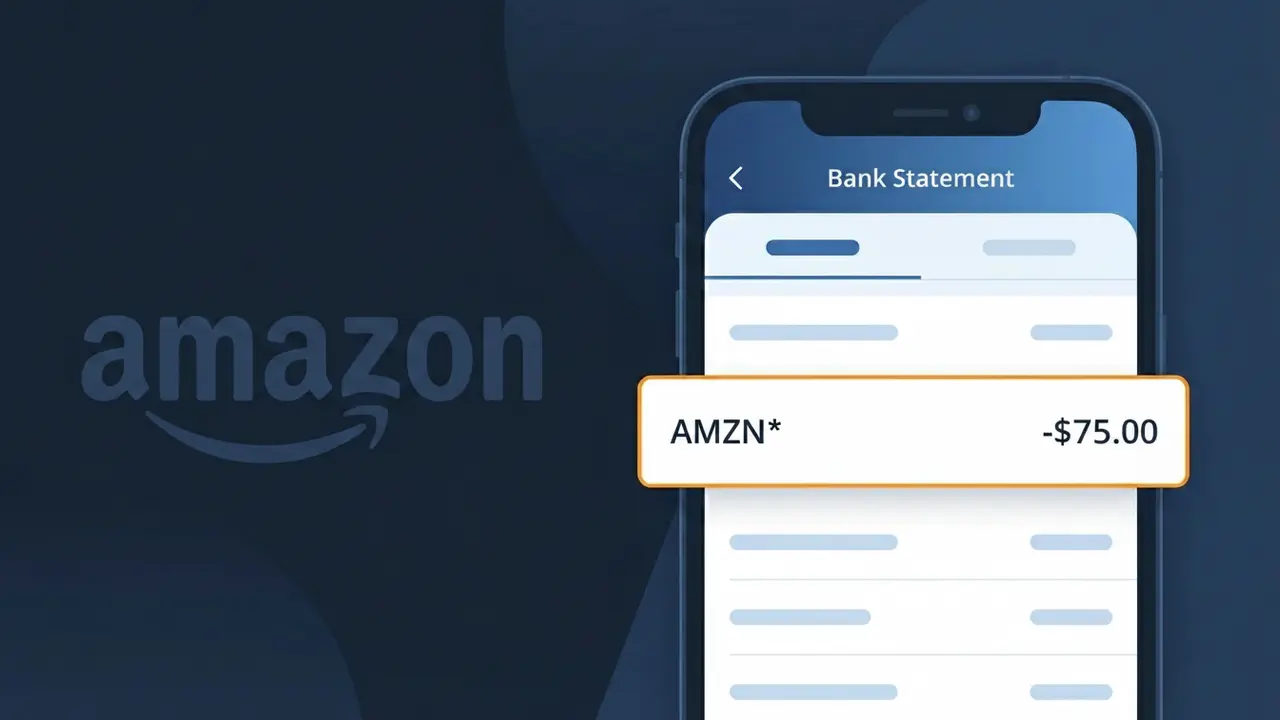
AMZN* Charge (What It Is + Is It Legit?)
✓ LegitimateThe "AMZN*" charge is from Amazon. A purchase made on Amazon.com marketplace.

Amazon
A purchase made on Amazon.com marketplace.
Category
Shopping
Avg. Charge
$34.99
Country
US
Billing Cycle
One-time
Cancel At
www.amazon.com/your-account
Support
See website
Why does this charge appear?
Amazon uses the abbreviated descriptor "AMZN\*" on bank statements because payment card networks like Visa and Mastercard impose a strict character limit on merchant descriptors, typically capping them at 22-25 characters. Rather than letting the full "Amazon.com" get cut off inconsistently by different banks, Amazon standardized on "AMZN\*" as their official billing identifier, with the asterisk acting as a separator before additional detail like a product category or order reference. This shortened format is registered directly with their payment processor and appears uniformly across all Amazon.com marketplace purchases made in the US.
Your next steps
Check Your Amazon Order History
Log into your account at amazon.com and navigate to 'Returns & Orders' in the top right corner. Match the AMZN* charge amount and date to a recent purchase, subscription, or digital download in your order history.
Review Amazon Subscriptions and Memberships
Visit amazon.com/your-account and check your memberships and subscriptions section. The AMZN* charge could be from Amazon Prime, Kindle Unlimited, Amazon Music, or an auto-renewed third-party subscription purchased through Amazon.
Verify Any Amazon Household Members
If you share an Amazon Household with family members, check whether another member made a purchase that triggered the AMZN* charge. Go to amazon.com/your-account and review the Amazon Household settings and shared order history.
Cancel or Manage the Charge Going Forward
If the AMZN* charge is from an unwanted recurring subscription or service, go to amazon.com/your-account to cancel the subscription before the next billing cycle. Amazon also offers easy self-service order cancellations and returns if the purchase was recent and unintended.
Legitimate or scam?
No, this is a legitimate charge from Amazon. However, if you did not authorize this charge or cancelled your subscription, you may be eligible for a refund.
ℹ️ Note
In most cases, seeing "AMZN*" on your statement is completely normal. Before assuming fraud, check your recent purchases — most mystery charges have a simple explanation.
Is the AMZN* Charge Legitimate or Fraud?
An AMZN* charge on your bank or credit card statement is almost always a legitimate transaction processed by Amazon. The prefix AMZN is Amazon's official billing descriptor, and it appears followed by additional characters that indicate the specific type of purchase or service. Common reasons you might see an AMZN* charge include:
- AMZN* MKTP US — A product purchase made on the Amazon Marketplace
- AMZN* Prime — A monthly or annual Amazon Prime membership fee
- AMZN* Digital — A Kindle book, Prime Video rental, or other digital content purchase
- AMZN* AWS — Amazon Web Services charges for cloud computing usage
While most AMZN* charges are genuine, fraudulent charges using Amazon's name do occur. If you do not recognize the specific amount or timing of an AMZN* charge, it is worth investigating before assuming it is legitimate.
How to Verify the AMZN* Charge
- 1
Log into your Amazon account
Visit amazon.com and go to 'Returns & Orders' or 'Account & Lists > Your Account > Order History' to match the AMZN* charge amount and date to a specific order.
- 2
Search your email for Amazon receipts
Search your inbox for emails from 'auto-confirm@amazon.com' or 'ship-confirm@amazon.com' around the date of the AMZN* charge to find a matching order confirmation.
- 3
Check your Amazon subscriptions and memberships
Go to amazon.com > Account > Memberships & Subscriptions to see if an AMZN* Prime renewal or Subscribe & Save delivery triggered the charge.
- 4
Ask household members
If you share an Amazon household, a family member may have made a purchase that generated the AMZN* charge on your linked payment method without notifying you.
- 5
Contact Amazon customer service
If you still cannot identify the AMZN* charge, contact Amazon directly at amazon.com/contact-us — they can look up any transaction tied to your account by amount and date.
How to Dispute an AMZN* Charge
- 1
Act within 60 days of the charge
Most banks require you to dispute an unrecognized AMZN* charge within 60 days of the statement date, so do not wait if you believe the charge is fraudulent or incorrect.
- 2
Contact Amazon first
Reach out to AMZN customer support at amazon.com/contact-us or call 1-888-280-4331. Amazon can often issue an immediate refund for accidental or unauthorized AMZN* charges faster than a bank dispute.
- 3
File a chargeback with your bank
If AMZN does not resolve the issue, call the number on the back of your card and request a chargeback for the AMZN* charge, citing it as unauthorized or unrecognized.
- 4
Request a new card number
If you suspect your card details were stolen and used to make fraudulent AMZN* purchases, ask your bank to cancel your current card and issue a replacement with a new number immediately.
Tips for Managing AMZN* Charges
Enable purchase alerts on your bank app so you're notified instantly whenever an AMZN* charge posts to your account.
Regularly review your Amazon Order History to reconcile every AMZN* charge on your statement before your billing cycle closes.
Secure your AMZN account with a strong password and two-factor authentication to prevent unauthorized AMZN* charges.
Note your Amazon Prime renewal date so you're never surprised by the annual AMZN* Prime charge appearing on your statement.
Use a dedicated card for AMZN purchases so all AMZN* charges are isolated and easy to spot if something suspicious appears.
Use WhatIsThisCharge.net to identify related charges and other AMZN* billing descriptor variations you may not recognize.
Quick answers
Was this page helpful?
Community Reports (1)
1 votesHave you seen this charge? Help others by voting:
Community Comments (0)
No comments yet. Be the first to share your experience!
Share your experience
Your email is only used to verify your comment and will never be shown publicly.
Search Another Charge
Popular Charges

Amazon Marketplace
AMZN MKTP US
Netflix
NETFLIX *SUBSCRIPTION
Netflix
NETFLIX.COM *
Apple
APPLE *SUBSCRIPTION
Apple
APPLE.COM/BILL
Related Charges
Need to dispute this charge?
Generate a professional dispute letter in seconds with our AI tool.
Open Charge AssistantCommunity Verified
Real user reports
Free to Use
Always free to check
Secure & Private
Your data is safe
Help Millions
48K+ charges identified