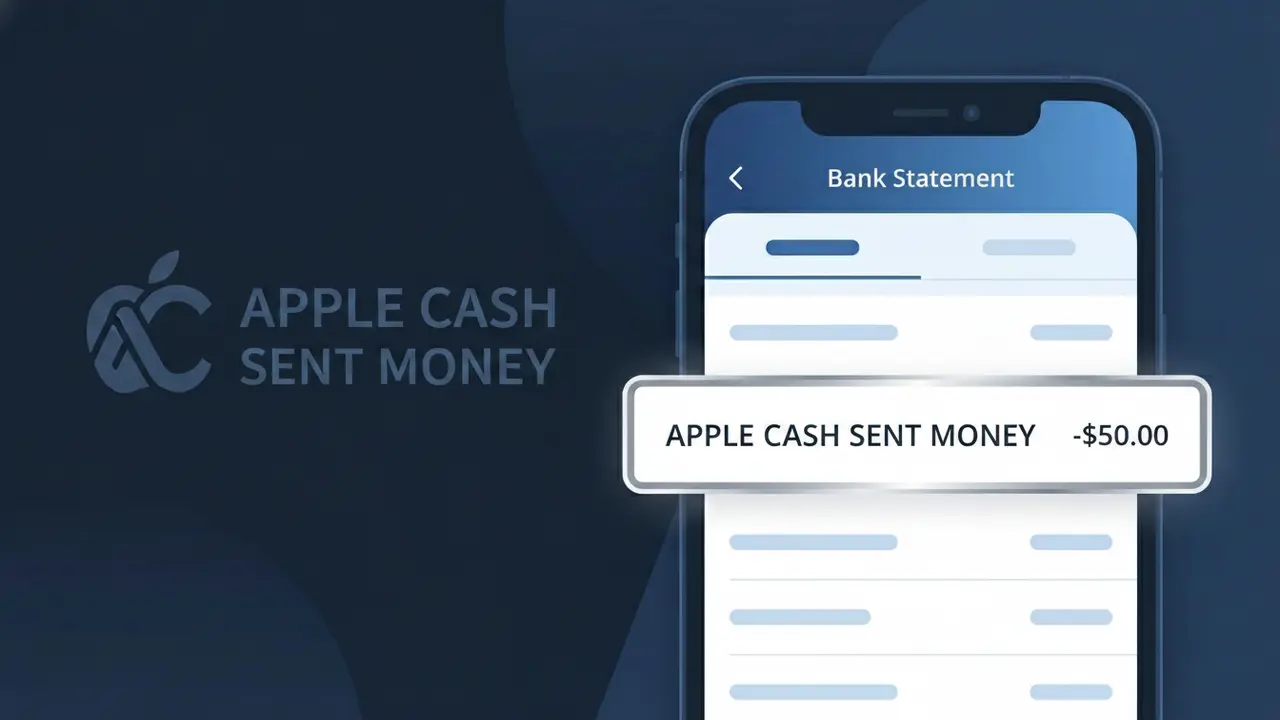
APPLE CASH SENT MONEY Charge (What It Is + Is It Legit?)
✓ LegitimateThe "APPLE CASH SENT MONEY" charge is from Apple Cash. A peer-to-peer payment sent to another user via iMessage / Apple Pay.
Apple Cash
A peer-to-peer payment sent to another user via iMessage / Apple Pay.
Category
Finance
Avg. Charge
Variable
Country
US
Billing Cycle
One-time
Cancel At
support.apple.com/apple-cash
Support
See website
Why this shows on your statement
When you send money to a friend or family member through Apple's iMessage or Wallet app, the transaction is processed through Apple's peer-to-peer payment network and logged on your bank statement as APPLE CASH SENT MONEY to clearly distinguish it as an outgoing transfer rather than a purchase or subscription. Apple Cash uses this specific descriptor format to give banks and cardholders an at-a-glance indication of the transaction type, with "SENT MONEY" appended to differentiate it from other Apple-related charges like App Store purchases or Apple Pay merchant payments. If you see APPLE CASH SENT MONEY on your statement, it simply reflects a payment you initiated to another Apple Cash user, and the amount will match whatever you chose to send at the time of the transfer.
What should you do?
Check Your Apple Cash Transaction History
Open the Wallet app on your iPhone and tap your Apple Cash card to view your transaction history. Look for the APPLE CASH SENT MONEY charge and confirm the date, amount, and recipient match a payment you intentionally sent via iMessage or Apple Pay.
Verify the Recipient in iMessage
Open iMessage and search through your conversations to find the Apple Cash payment you sent. Apple Cash payments appear directly in chat threads, so you should be able to confirm exactly who received the money and when it was sent.
Review Your Apple Cash Settings and Limits
Visit apple.com or go to Settings, then Wallet and Apple Pay on your iPhone to review your Apple Cash account activity and spending limits. This helps you stay aware of your sending habits and ensures no unauthorized payments were made from your Apple Cash balance.
Contact Apple Support if Anything Looks Off
If the APPLE CASH SENT MONEY charge does not match any payment you recall sending, visit support.apple.com/apple-cash immediately to report the issue. Apple Support can help you investigate unrecognized transactions and take steps to secure your Apple Cash account against unauthorized use.
Should you be worried?
No, this is a legitimate charge from Apple Cash. However, if you did not authorize this charge or cancelled your subscription, you may be eligible for a refund.
ℹ️ Note
In most cases, seeing "APPLE CASH SENT MONEY" on your statement is completely normal. Before assuming fraud, check your recent purchases — most mystery charges have a simple explanation.
Is the APPLE CASH SENT MONEY Charge Legitimate or Fraud?
If you see APPLE CASH SENT MONEY on your bank statement, this typically means a peer-to-peer payment was sent from your Apple Cash account through Apple's Wallet app. Apple Cash is Apple's built-in digital payment service, and APPLE CASH SENT MONEY reflects an outgoing transfer you or someone with access to your device initiated.
This charge is usually legitimate, but it's worth verifying. Common reasons you may see APPLE CASH SENT MONEY include:
- You sent money to a friend or family member via iMessage or the Wallet app
- A family member linked to your Apple ID or shared device sent a payment
- You transferred Apple Cash funds to your linked debit card or bank account
- A recurring or accidental payment was triggered through Apple Pay
If you do not recognize the APPLE CASH SENT MONEY transaction, act quickly — unauthorized transfers through Apple Cash can sometimes indicate account compromise or an unauthorized device user.
How to Verify the APPLE CASH SENT MONEY Charge
- 1
Open the Wallet App on Your iPhone
Tap your Apple Cash card in the Wallet app and review your transaction history. You'll see a detailed log of every APPLE CASH SENT MONEY transfer with the recipient's name and date.
- 2
Check Your Messages App
Apple Cash payments sent via iMessage will appear directly in your conversation threads. Search your Messages app for payment confirmations linked to the APPLE CASH SENT MONEY charge in question.
- 3
Review Your Apple ID Account Activity
Go to Settings > [Your Name] > Apple Cash and review linked accounts. Make sure no unfamiliar devices or family members triggered the APPLE CASH SENT MONEY transaction.
- 4
Check with Household Members
If you share an Apple device or participate in Family Sharing, a family member may have sent money using your Apple Cash balance, resulting in the APPLE CASH SENT MONEY entry on your statement.
- 5
Contact Apple Support
If you still can't identify the APPLE CASH SENT MONEY charge, contact Apple Support at support.apple.com or call 1-800-275-2273 for a full transaction breakdown.
How to Dispute a APPLE CASH SENT MONEY Charge
- 1
Act Quickly — Time Is Critical
Dispute an unrecognized APPLE CASH SENT MONEY charge as soon as possible. Apple and your bank typically require disputes to be filed within 60 days of the statement date for the best chance of resolution.
- 2
Contact Apple Cash Support First
Visit support.apple.com and navigate to Apple Cash to report the unauthorized APPLE CASH SENT MONEY transaction. Apple may be able to reverse the transfer if it's flagged quickly enough.
- 3
File a Dispute With Your Bank
If the APPLE CASH SENT MONEY charge pulled funds from a linked bank account or debit card, contact your bank directly to file a dispute or chargeback for the unauthorized transaction.
- 4
Request a New Card if Compromised
If you believe your Apple Cash or linked debit card was compromised, ask your bank to issue a replacement card to prevent further unauthorized APPLE CASH SENT MONEY transactions.
Tips for Managing APPLE CASH SENT MONEY Charges
Enable Apple Cash transaction notifications in Settings > Wallet & Apple Pay so you're alerted instantly for every APPLE CASH SENT MONEY transfer.
Regularly review your Apple Cash transaction history in the Wallet app to catch any unexpected APPLE CASH SENT MONEY entries early.
Secure your Apple Cash account with Face ID or Touch ID and a strong Apple ID password to prevent unauthorized APPLE CASH SENT MONEY transfers.
Cross-reference your bank statement's APPLE CASH SENT MONEY entries with your Wallet app history at the end of each billing cycle.
Never share your iPhone passcode — anyone with access to your device can initiate an APPLE CASH SENT MONEY transfer without additional authentication.
Use WhatIsThisCharge.net to identify related charges from Apple services or other unfamiliar bank statement entries.
Questions and answers
Was this page helpful?
Community Reports (0)
0 votesNo votes yet — be the first to report on this charge!
Have you seen this charge? Help others by voting:
Community Comments (0)
No comments yet. Be the first to share your experience!
Share your experience
Your email is only used to verify your comment and will never be shown publicly.
Search Another Charge
Popular Charges

Amazon Marketplace
AMZN MKTP US
Netflix
NETFLIX *SUBSCRIPTION
Netflix
NETFLIX.COM *
Apple
APPLE *SUBSCRIPTION
Apple
APPLE.COM/BILL
Need to dispute this charge?
Generate a professional dispute letter in seconds with our AI tool.
Open Charge AssistantCommunity Verified
Real user reports
Free to Use
Always free to check
Secure & Private
Your data is safe
Help Millions
48K+ charges identified