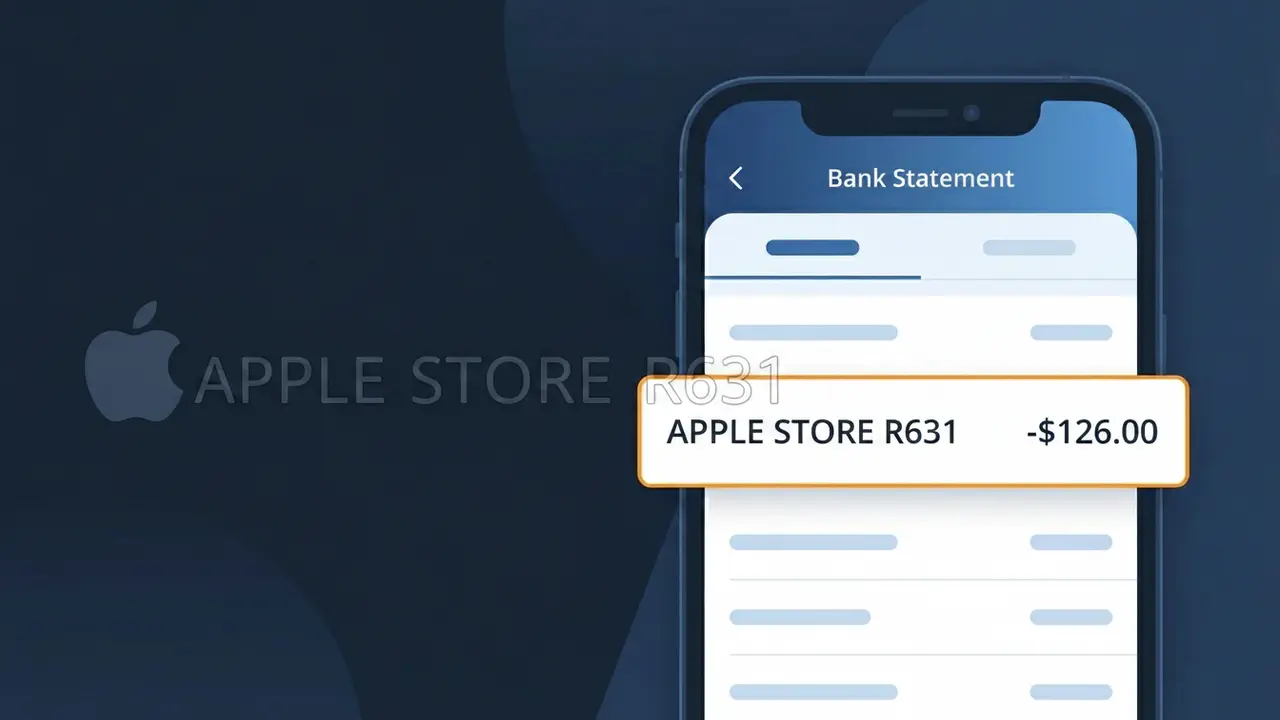
APPLE STORE R631 Charge (What It Is + Is It Legit?)
✓ LegitimateThe "APPLE STORE R631" charge is from Apple Retail Store. A physical purchase made at an Apple Store location (Hardware, Accessories, or Genius Bar).
Apple Retail Store
A physical purchase made at an Apple Store location (Hardware, Accessories, or Genius Bar).
Category
Shopping
Avg. Charge
Variable
Country
US
Billing Cycle
One-time
Cancel At
apple.com/retail
Support
See website
Why this shows on your statement
When you make a purchase at an Apple Retail Store location, the charge on your bank statement shows up as "APPLE STORE R631" because Apple's point-of-sale billing system appends an internal store location code to the descriptor rather than spelling out the full retail entity name. The "R631" portion is a store identifier used by Apple's payment processing infrastructure to distinguish between individual physical store locations for internal tracking and regional accounting purposes. This truncated format is also partly a result of character limits imposed by card networks like Visa and Mastercard, which restrict merchant descriptors to a set number of characters, causing the full "Apple Retail Store" name to be shortened automatically.
What should you do?
Match the charge to your visit
Think back to any recent trips to an Apple Retail Store location. The charge APPLE STORE R631 reflects a physical in-store purchase such as an iPhone, Mac, accessory, or a paid Genius Bar repair. Check if the amount matches what you spent during that visit.
Review your Apple receipt
Apple sends email receipts for all Apple Retail Store purchases. Search your inbox for a receipt from Apple that matches the charge amount and date. You can also sign in at apple.com and check your purchase history under your Apple ID account settings.
Contact the Apple Retail Store directly
If you recognize visiting an Apple Retail Store but the amount seems off, visit apple.com/retail to find the specific store location tied to the R631 code. You can call or visit that store in person and ask a team member to look up the transaction using your receipt or payment method.
Request a return or correction if needed
If the APPLE STORE R631 charge is for an item you no longer want or was rung up incorrectly, Apple Retail Store offers a return window for most products. Visit apple.com/retail to find your nearest store or review the return policy, and bring your original receipt or the card used for the purchase to resolve the issue.
Should you be worried?
No, this is a legitimate charge from Apple Retail Store. However, if you did not authorize this charge or cancelled your subscription, you may be eligible for a refund.
ℹ️ Note
In most cases, seeing "APPLE STORE R631" on your statement is completely normal. Before assuming fraud, check your recent purchases — most mystery charges have a simple explanation.
Is the APPLE STORE R631 Charge Legitimate or Fraud?
If you've spotted APPLE STORE R631 on your bank or credit card statement, this charge almost certainly originates from a purchase or transaction made at Apple's retail store location R631. Apple uses this store code format — 'R' followed by a number — to identify specific physical retail locations on billing statements. This is a standard Apple billing descriptor and is generally a legitimate charge.
Common reasons you might see an APPLE STORE R631 charge include:
- An in-store purchase of an iPhone, iPad, Mac, or Apple accessory at Apple Store location R631
- A device repair or service completed at the Genius Bar at this specific Apple Store
- An in-store pickup order originally placed online but fulfilled at Apple Store R631
- A purchase made by a family member or authorized user at the Apple Store R631 location
While APPLE STORE R631 is typically a legitimate charge, you should verify it if you don't recall visiting that Apple Store recently, as unauthorized use of your card is always possible.
How to Verify the APPLE STORE R631 Charge
- 1
Check your Apple purchase history
Sign into your Apple ID at appleid.apple.com and review your purchase history. Any transaction processed at APPLE STORE R631 should appear there with a full itemized receipt.
- 2
Search your email for Apple receipts
Look in your inbox for emails from no_reply@email.apple.com. Apple always sends a receipt for APPLE STORE R631 in-store purchases to the email linked to your Apple ID.
- 3
Check with household members
Ask family members or others who may share your card if they recently visited an Apple Store. APPLE STORE R631 charges can result from purchases made by a spouse, child, or authorized cardholder.
- 4
Identify the store location
Apple Store R631 is a specific retail location. Cross-reference the charge date with your whereabouts or any known Apple Store visits near that date to confirm the transaction.
- 5
Contact Apple Support directly
If you still can't identify the APPLE STORE R631 charge, call Apple Support at 1-800-275-2273 or visit support.apple.com. They can look up the transaction by charge amount and date.
How to Dispute an APPLE STORE R631 Charge
- 1
Act within 60 days
Most banks require you to dispute an unauthorized APPLE STORE R631 charge within 60 days of the statement date. Act quickly to preserve your full chargeback rights under the Fair Credit Billing Act.
- 2
Contact APPLE STORE R631 / Apple first
Reach out to Apple Support at 1-800-275-2273 before disputing with your bank. Apple can often issue a refund directly for APPLE STORE R631 transactions, which is faster than a bank chargeback.
- 3
File a chargeback with your bank
If Apple does not resolve the APPLE STORE R631 dispute, contact your bank or card issuer to file a formal chargeback. Provide the charge amount, date, and any correspondence with Apple as evidence.
- 4
Request a new card number
If the APPLE STORE R631 charge is confirmed as fraudulent, ask your bank to cancel your current card and issue a new one to prevent any further unauthorized transactions.
Tips for Managing APPLE STORE R631 Charges
Enable real-time bank alerts so you're notified instantly of any new APPLE STORE R631 charge on your card.
Always save your Apple Store R631 in-store receipt — it makes verifying charges on your statement much easier.
Secure your Apple ID with two-factor authentication to prevent unauthorized purchases that could appear as APPLE STORE R631 charges.
Review your statement within a few days of visiting an Apple Store so APPLE STORE R631 charges are fresh in your memory.
Use Apple Card or a dedicated card for Apple purchases to easily isolate and track APPLE STORE R631 charges.
Use WhatIsThisCharge.net to identify related charges from Apple or other retailers on your statement.
Questions and answers
Was this page helpful?
Community Reports (0)
0 votesNo votes yet — be the first to report on this charge!
Have you seen this charge? Help others by voting:
Community Comments (0)
No comments yet. Be the first to share your experience!
Share your experience
Your email is only used to verify your comment and will never be shown publicly.
Search Another Charge
Popular Charges

Amazon Marketplace
AMZN MKTP US
Netflix
NETFLIX *SUBSCRIPTION
Netflix
NETFLIX.COM *
Apple
APPLE *SUBSCRIPTION
Apple
APPLE.COM/BILL
Related Charges
Need to dispute this charge?
Generate a professional dispute letter in seconds with our AI tool.
Open Charge AssistantCommunity Verified
Real user reports
Free to Use
Always free to check
Secure & Private
Your data is safe
Help Millions
48K+ charges identified