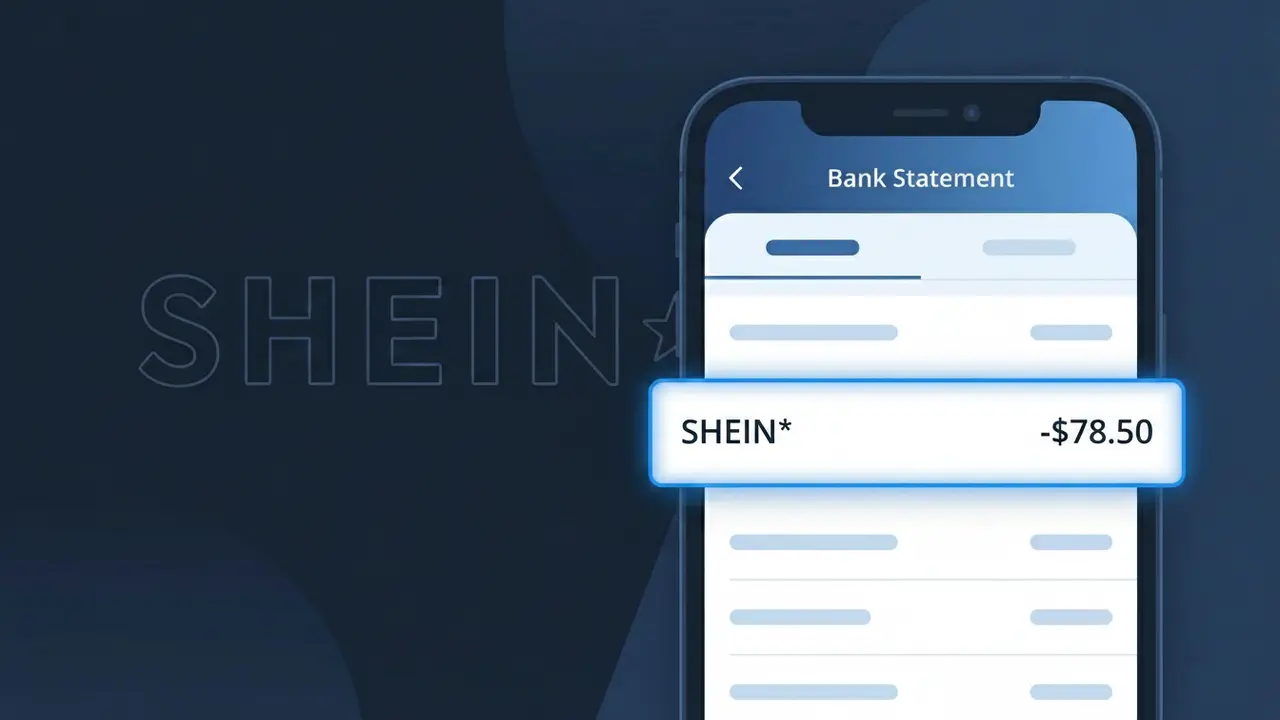
SHEIN* Charge (What It Is + Is It Legit?)
✓ LegitimateThe "SHEIN*" charge is from SHEIN. SHEIN fashion online purchase.
SHEIN
SHEIN fashion online purchase.
Category
Shopping
Avg. Charge
$30.00
Country
US
Billing Cycle
One-time
Cancel At
shein.com/account
Support
See website
Understanding this descriptor
When SHEIN processes payments for its online fashion orders in the United States, the asterisk in "SHEIN*" is a formatting convention used by payment processors to separate the merchant name from an additional identifier, such as a transaction reference or regional billing code. SHEIN operates through a complex international payment infrastructure, and the truncated descriptor format is a result of character limits imposed by card networks like Visa and Mastercard, which restrict how merchant names display on statements. If you recently placed an order for clothing or accessories through SHEIN's website or app, the "SHEIN*" charge on your bank statement is simply how that purchase gets recorded by your financial institution.
Recommended actions
Match the charge to a SHEIN order
Log into your account at shein.com and navigate to your order history. Compare the charge amount labeled SHEIN* on your bank statement to any recent SHEIN fashion purchases, including any active promotions or discount codes that may have adjusted the final total.
Check your SHEIN account activity
Visit shein.com and review your account for any orders you may have forgotten about, including flash sale purchases or SHEIN PLUS subscription charges. Sometimes SHEIN processes items in separate shipments, which can result in multiple SHEIN* charges appearing at different times.
Review or cancel your SHEIN subscriptions
If the SHEIN* charge is recurring and unexpected, go to shein.com/account to check whether you are enrolled in any SHEIN membership programs or auto-renewal services. From that page you can manage or cancel any active subscriptions to prevent future charges.
Contact SHEIN support if the amount seems off
If the SHEIN* charge does not match any order in your history at shein.com, reach out to SHEIN customer service directly through their website to request a detailed breakdown of the transaction before considering a dispute with your bank.
Is this charge fraudulent?
No, this is a legitimate charge from SHEIN. However, if you did not authorize this charge or cancelled your subscription, you may be eligible for a refund.
Is the SHEIN* Charge Legitimate or Fraud?
If you see a SHEIN* charge on your bank or credit card statement, it is most likely a legitimate purchase made on SHEIN, the popular online fast-fashion retailer. SHEIN processes payments under the descriptor SHEIN*, sometimes followed by an order number or country code, which can make it look unfamiliar. However, if you don't recall making a purchase, it's worth investigating further.
- SHEIN* is the official billing name used by SHEIN for online clothing and accessory orders
- The charge may appear days after your order is placed, when items actually ship
- Household members or friends may have used your payment method on SHEIN's website or app
- Unauthorized SHEIN* charges could indicate your card details were compromised and should be reported immediately
How to Verify the SHEIN* Charge
- 1
Check your SHEIN account order history
Log into your SHEIN account at shein.com or the SHEIN app and navigate to 'My Orders' to match the charge amount and date to a specific order.
- 2
Search your email for SHEIN receipts
Search your inbox for emails from SHEIN (noreply@shein.com or similar) containing order confirmations or shipping notifications that match the SHEIN* charge amount.
- 3
Check with household members
Ask family members or anyone with access to your payment method whether they placed an order on SHEIN, as shared cards are a common reason for unexpected SHEIN* charges.
- 4
Review any saved payment methods on SHEIN
Log into your SHEIN account and review saved payment methods under account settings to ensure your card isn't stored on an account you no longer actively use.
- 5
Contact your bank for details
If you still can't verify the SHEIN* charge, call the number on the back of your card and ask your bank for the exact merchant details and transaction timestamp.
How to Dispute a SHEIN* Charge
- 1
Act within 60 days of the charge
Most banks require disputes to be filed within 60 days of the SHEIN* charge appearing on your statement, so act quickly if you believe the charge is unauthorized or incorrect.
- 2
Contact SHEIN customer support first
Reach out to SHEIN directly through their live chat or support page at shein.com/robot to request a refund for an incorrect or unauthorized SHEIN* charge before escalating to your bank.
- 3
File a chargeback with your bank
If SHEIN does not resolve the issue, contact your bank or credit card issuer to file a formal chargeback dispute for the SHEIN* transaction, providing any supporting evidence.
- 4
Request a new card if fraud is suspected
If the SHEIN* charge appears to be part of unauthorized activity, ask your bank to cancel your compromised card and issue a new one to prevent further fraudulent charges.
Tips for Managing SHEIN Charges
Enable bank alerts to get notified instantly when a SHEIN* charge posts to your account.
Always save your SHEIN order confirmation emails to easily match them to SHEIN* charges later.
Use a strong, unique password for your SHEIN account to prevent unauthorized purchases on your saved card.
Note that SHEIN* charges may appear 1–3 days after ordering, typically when your items are shipped.
Use a virtual card number when shopping on SHEIN to limit exposure if your payment details are ever compromised.
Use WhatIsThisCharge.net to identify related charges and understand unfamiliar billing descriptors from SHEIN.
Common questions
Was this page helpful?
Community Reports (0)
0 votesNo votes yet — be the first to report on this charge!
Have you seen this charge? Help others by voting:
Community Comments (0)
No comments yet. Be the first to share your experience!
Share your experience
Your email is only used to verify your comment and will never be shown publicly.
Search Another Charge
Popular Charges

Amazon Marketplace
AMZN MKTP US
Netflix
NETFLIX *SUBSCRIPTION
Netflix
NETFLIX.COM *
Apple
APPLE *SUBSCRIPTION
Apple
APPLE.COM/BILL
Related Charges
Need to dispute this charge?
Generate a professional dispute letter in seconds with our AI tool.
Open Charge AssistantCommunity Verified
Real user reports
Free to Use
Always free to check
Secure & Private
Your data is safe
Help Millions
48K+ charges identified