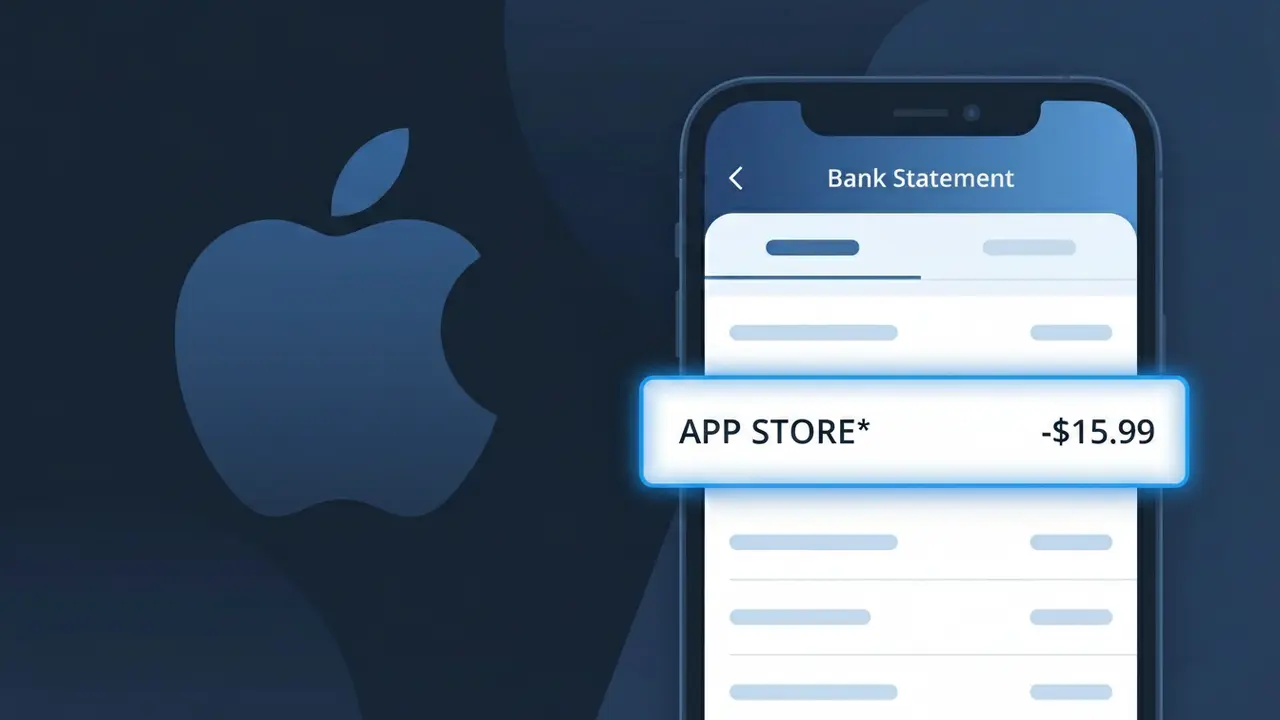
APP STORE* Charge (What It Is + Is It Legit?)
✓ LegitimateThe "APP STORE*" charge is from Apple App Store. Apple App Store purchase.
Apple App Store
Apple App Store purchase.
Category
Tech
Avg. Charge
$2.99
Country
US
Billing Cycle
One-time
Cancel At
appleid.apple.com
Support
See website
Understanding this descriptor
When Apple processes purchases through the App Store, their billing system truncates the full name to fit within the standard 25-character limit that most card networks impose on merchant descriptors, resulting in "APP STORE*" appearing on your statement rather than the complete "Apple App Store" label. The asterisk following the descriptor is a formatting convention Apple uses to separate the store identifier from any additional purchase details, such as the specific app name or subscription period, which may or may not appear depending on your bank's display settings. If you recognize a recent app download or in-app purchase from your Apple account, this charge is almost certainly legitimate and can be verified by checking your purchase history in your Apple ID account settings.
Recommended actions
Review Your Apple App Store Purchase History
Sign in to your Apple ID account at appleid.apple.com and navigate to your purchase history to find the exact app or in-app purchase that triggered the APP STORE* charge on your bank statement. Each transaction will show the app name, date, and amount.
Match the Charge Amount to a Specific App
Open the App Store app on your iPhone or iPad, tap your profile icon, and select Purchased to cross-reference the APP STORE* charge with a recent download or in-app purchase. Subscription renewals, one-time purchases, and in-app content all appear as APP STORE* on bank statements.
Check for Active Apple App Store Subscriptions
Go to apple.com or visit appleid.apple.com to review all active subscriptions tied to your Apple ID. If the APP STORE* charge is from a recurring subscription you no longer want, you can cancel it directly from that page to prevent future billing.
Contact Apple Support if the Charge is Unclear
If you still cannot identify the APP STORE* charge after reviewing your history, visit apple.com/support and use the Report a Problem tool to request a detailed breakdown of the transaction or to flag it for further review by the Apple App Store billing team.
Is this charge fraudulent?
No, this is a legitimate charge from Apple App Store. However, if you did not authorize this charge or cancelled your subscription, you may be eligible for a refund.
ℹ️ Note
In most cases, seeing "APP STORE*" on your statement is completely normal. Before assuming fraud, check your recent purchases — most mystery charges have a simple explanation.
Is the APP STORE* Charge Legitimate or Fraud?
If you see APP STORE* on your bank or credit card statement, this charge most likely comes from Apple's App Store, the official marketplace for iPhone, iPad, and Mac applications. The asterisk in APP STORE* is a standard billing truncation used by Apple when processing payments through their platform. This charge is typically legitimate, but it's worth reviewing to confirm you or someone in your household authorized it.
- You or a family member purchased a paid app from the APP STORE
- A free app you downloaded has an active in-app subscription billed by APP STORE
- You made an in-app purchase (such as game currency or premium features) through APP STORE
- A free trial from an APP STORE app converted to a paid subscription without a reminder
How to Verify the APP STORE* Charge
- 1
Check your Apple ID purchase history
Open the Settings app on your iPhone or iPad, tap your name, then go to Media & Purchases > View Account > Purchase History. Here you'll see an itemized list of all APP STORE* transactions tied to your Apple ID.
- 2
Search your email for APP STORE receipts
Apple sends email receipts for every APP STORE* charge to the address linked to your Apple ID. Search your inbox for 'Your receipt from Apple' to match the amount on your bank statement.
- 3
Check Family Sharing members
If you use Apple Family Sharing, purchases made by family members are billed to the family organizer and appear as APP STORE* charges. Check with all members of your family group.
- 4
Review active APP STORE subscriptions
Go to Settings > [Your Name] > Subscriptions on your Apple device to see all active and expired subscriptions managed by APP STORE. This will identify recurring charges you may have forgotten about.
- 5
Contact your bank for transaction details
If you still can't identify the APP STORE* charge, contact your bank and ask for the full merchant descriptor and transaction date. This additional detail can help you pinpoint the exact app or purchase from APP STORE.
How to Dispute an APP STORE* Charge
- 1
Act within 60 days
Most banks require you to dispute an unrecognized APP STORE* charge within 60 days of the statement date. Act quickly to preserve your right to a chargeback if the charge turns out to be unauthorized.
- 2
Request a refund directly from APP STORE
Visit reportaproblem.apple.com, sign in with your Apple ID, find the APP STORE* charge, and select 'Request a Refund.' Apple reviews refund requests within 48 hours and this is often the fastest resolution.
- 3
File a chargeback with your bank
If APP STORE denies your refund request and you believe the charge is unauthorized, contact your bank or credit card issuer to file a formal chargeback dispute. Provide your APP STORE refund denial as supporting evidence.
- 4
Request a new card if fraud is suspected
If you suspect your card details were used fraudulently to make APP STORE* purchases on an account you don't own, ask your bank to cancel your card and issue a new one to prevent further unauthorized charges.
Tips for Managing APP STORE Charges
Enable purchase notifications in your Apple ID settings so you get an alert every time an APP STORE* charge is processed.
Regularly audit your APP STORE subscriptions list to cancel any apps you no longer use before renewal.
Enable Ask to Buy in Family Sharing so all APP STORE purchases by children require your approval before billing.
Note the billing dates of your APP STORE subscriptions so unexpected charges don't catch you off guard.
Use a dedicated card for APP STORE purchases to make it easy to spot and track all related charges in one place.
Use WhatIsThisCharge.net to identify related charges that may appear alongside APP STORE* on your statement.
Common questions
Was this page helpful?
Community Reports (0)
0 votesNo votes yet — be the first to report on this charge!
Have you seen this charge? Help others by voting:
Community Comments (0)
No comments yet. Be the first to share your experience!
Share your experience
Your email is only used to verify your comment and will never be shown publicly.
Search Another Charge
Popular Charges

Amazon Marketplace
AMZN MKTP US
Netflix
NETFLIX *SUBSCRIPTION
Netflix
NETFLIX.COM *
Apple
APPLE *SUBSCRIPTION
Apple
APPLE.COM/BILL
Related Charges
Need to dispute this charge?
Generate a professional dispute letter in seconds with our AI tool.
Open Charge AssistantCommunity Verified
Real user reports
Free to Use
Always free to check
Secure & Private
Your data is safe
Help Millions
48K+ charges identified