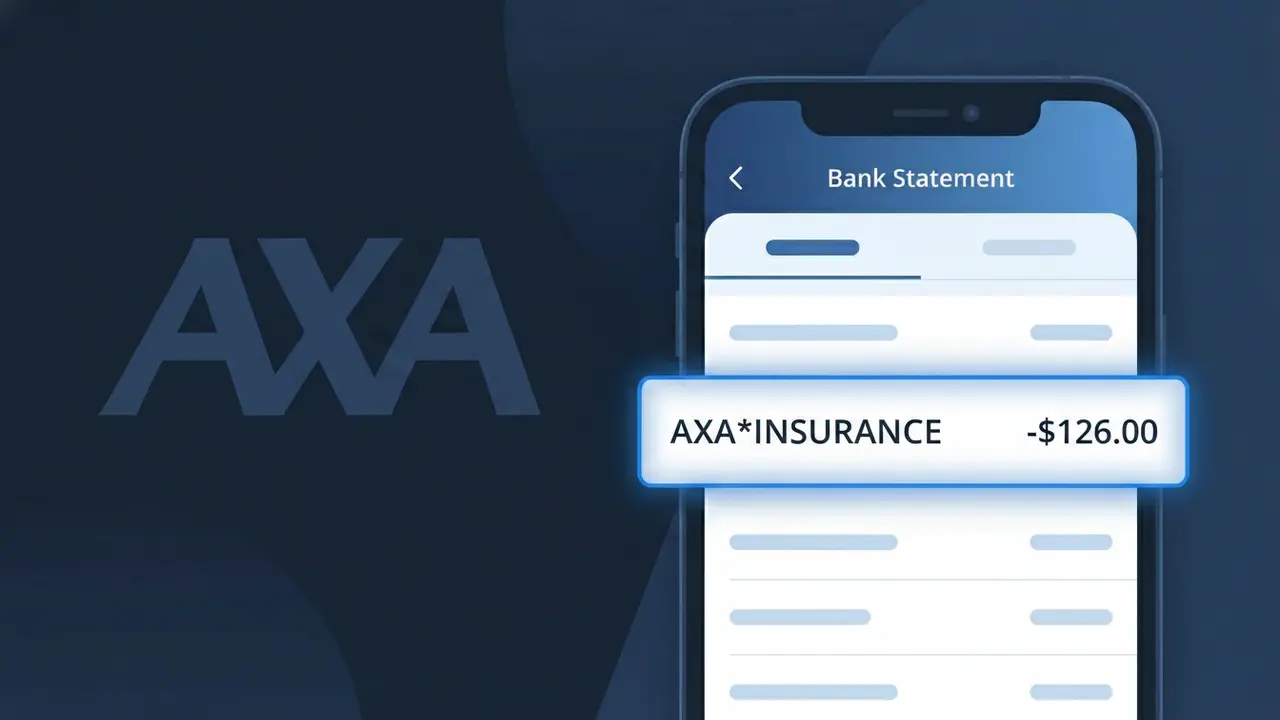
AXA*INSURANCE Charge (What It Is + Is It Legit?)
✓ LegitimateThe "AXA*INSURANCE" charge is from AXA Insurance. Charge for auto, home, or health insurance from AXA, one of the world's largest insurance groups.
AXA Insurance
Charge for auto, home, or health insurance from AXA, one of the world's largest insurance groups.
Category
Insurance
Avg. Charge
Variable
Country
FR
Billing Cycle
Monthly/Annual
Cancel At
axa.com/en/help-center
Support
See website
Why does this charge appear?
When AXA Insurance processes payments through its digital billing platform, the descriptor AXA*INSURANCE is generated automatically by their payment processing system, where the asterisk acts as a separator commonly used by major insurers to distinguish the brand name from the product category. AXA, headquartered in France and operating globally, uses this standardized format across its billing infrastructure to comply with payment network requirements that limit the number of characters shown on bank statements. If you hold an auto, home, or health insurance policy with AXA and see AXA*INSURANCE on your statement, this is a legitimate charge reflecting your regular premium payment.
Your next steps
Identify Your AXA Policy
Log in to your account at axa.com to confirm which insurance policy is linked to the AXA*INSURANCE charge. Check whether it corresponds to your auto, home, or health insurance plan to ensure the amount matches your current premium.
Compare the Charge to Your AXA Statement
Retrieve your most recent AXA Insurance policy documents or billing statements and compare the charge amount to the AXA*INSURANCE line on your bank statement. Discrepancies in the amount could indicate a rate change, policy update, or billing error worth following up on.
Contact AXA Insurance Directly
If you do not recognize the AXA*INSURANCE charge or need clarification, visit axa.com and use their Help Center to reach customer support. Have your policy number ready so a representative can quickly pull up your billing history and explain the specific charge.
Manage or Cancel Your AXA Policy
If you no longer want the insurance coverage tied to the AXA*INSURANCE charge, visit axa.com/en/help-center to review your cancellation options. Make sure to request written confirmation of any cancellation to prevent future charges from appearing on your bank statement.
How to cancel AXA Insurance
AXA Insurance bills you Monthly/Annual. To stop future charges, cancel from your account directly.
Cancel at AXA Insuranceℹ️ International processing
This charge is processed in FR. You may see a foreign transaction fee from your bank (typically 1-3%).
Legitimate or scam?
No, this is a legitimate charge from AXA Insurance. However, if you did not authorize this charge or cancelled your subscription, you may be eligible for a refund.
ℹ️ Note
In most cases, seeing "AXA*INSURANCE" on your statement is completely normal. Before assuming fraud, check your recent purchases — most mystery charges have a simple explanation.
Is the AXA*INSURANCE Charge Legitimate or Fraud?
If you've spotted AXA*INSURANCE on your bank or credit card statement, this charge is most likely a legitimate billing from AXA, one of the world's largest insurance and financial services companies. AXA operates across health, life, auto, home, and travel insurance, and the descriptor AXA*INSURANCE is the standard way their premium payments appear on statements.
Common reasons you may see AXA*INSURANCE on your account include:
- A monthly or annual premium payment for an AXA health insurance policy
- An auto or home insurance premium billed directly by AXA
- A travel insurance policy purchased through AXA or a partner platform
- A life insurance or term policy premium deducted automatically by AXA
- A renewal charge for an AXA insurance product you may have forgotten about
While the charge is usually legitimate, you should verify it against your AXA policy documents if the amount is unexpected or unfamiliar, as unauthorized use of payment details is always a possibility.
How to Verify the AXA*INSURANCE Charge
- 1
Log into your AXA account
Visit AXA's official website or app and log in to review your active policies and recent billing history. Match the charge amount and date to an AXA*INSURANCE transaction in your policy dashboard.
- 2
Search your email for AXA receipts
Search your inbox for emails from AXA using keywords like 'AXA insurance', 'premium', or 'policy renewal'. AXA typically sends confirmation emails when a payment is processed.
- 3
Check with household members
Ask family members or others who share your payment method whether they purchased or renewed an AXA insurance policy, as group or family plans may trigger an AXA*INSURANCE charge.
- 4
Review your active subscriptions and policies
Check any insurance comparison sites or employer benefit portals where you may have enrolled in an AXA policy, as premiums can be charged directly under the AXA*INSURANCE descriptor.
- 5
Contact AXA customer support directly
Call or message AXA's customer service team with the charge amount and date. They can look up the transaction and confirm which policy the AXA*INSURANCE charge is associated with.
How to Dispute an AXA*INSURANCE Charge
- 1
Act within 60 days of the charge
Most banks require you to report an unauthorized AXA*INSURANCE charge within 60 days of your statement date. Acting quickly protects your right to a full chargeback.
- 2
Contact AXA first
Reach out to AXA's customer service before contacting your bank. If the charge is a billing error or relates to a cancelled policy, AXA may issue a refund faster than a formal dispute process.
- 3
File a chargeback with your bank
If AXA does not resolve the issue, contact your bank or card issuer and request a chargeback for the AXA*INSURANCE charge. Provide any documentation such as cancellation confirmations or AXA correspondence.
- 4
Request a new card number
If you suspect fraud or did not authorize the AXA*INSURANCE charge at all, ask your bank to issue a replacement card to prevent any further unauthorized charges from appearing.
Tips for Managing AXA Charges
Set up billing alerts so you're notified the moment an AXA*INSURANCE charge hits your account.
Keep copies of all AXA policy documents and premium schedules to quickly verify any AXA*INSURANCE charge.
Log into your AXA online account regularly to monitor active policies and upcoming premium due dates.
Note whether your AXA policy renews monthly or annually so AXA*INSURANCE charges don't catch you off guard.
If cancelling an AXA policy, always get a written confirmation to avoid future AXA*INSURANCE charges.
Use WhatIsThisCharge.net to identify related charges that may appear alongside AXA*INSURANCE on your statement.
Quick answers
Was this page helpful?
Community Reports (0)
0 votesNo votes yet — be the first to report on this charge!
Have you seen this charge? Help others by voting:
Community Comments (0)
No comments yet. Be the first to share your experience!
Share your experience
Your email is only used to verify your comment and will never be shown publicly.
Search Another Charge
Popular Charges

Amazon France
AMAZON FR*
Netflix France
NETFLIX FR
Uber Eats France
UBER EATS FR
Free Mobile France
FREE MOBILE FR
SFR France
SFR FACTURE
Related Charges
Need to dispute this charge?
Generate a professional dispute letter in seconds with our AI tool.
Open Charge AssistantCommunity Verified
Real user reports
Free to Use
Always free to check
Secure & Private
Your data is safe
Help Millions
48K+ charges identified