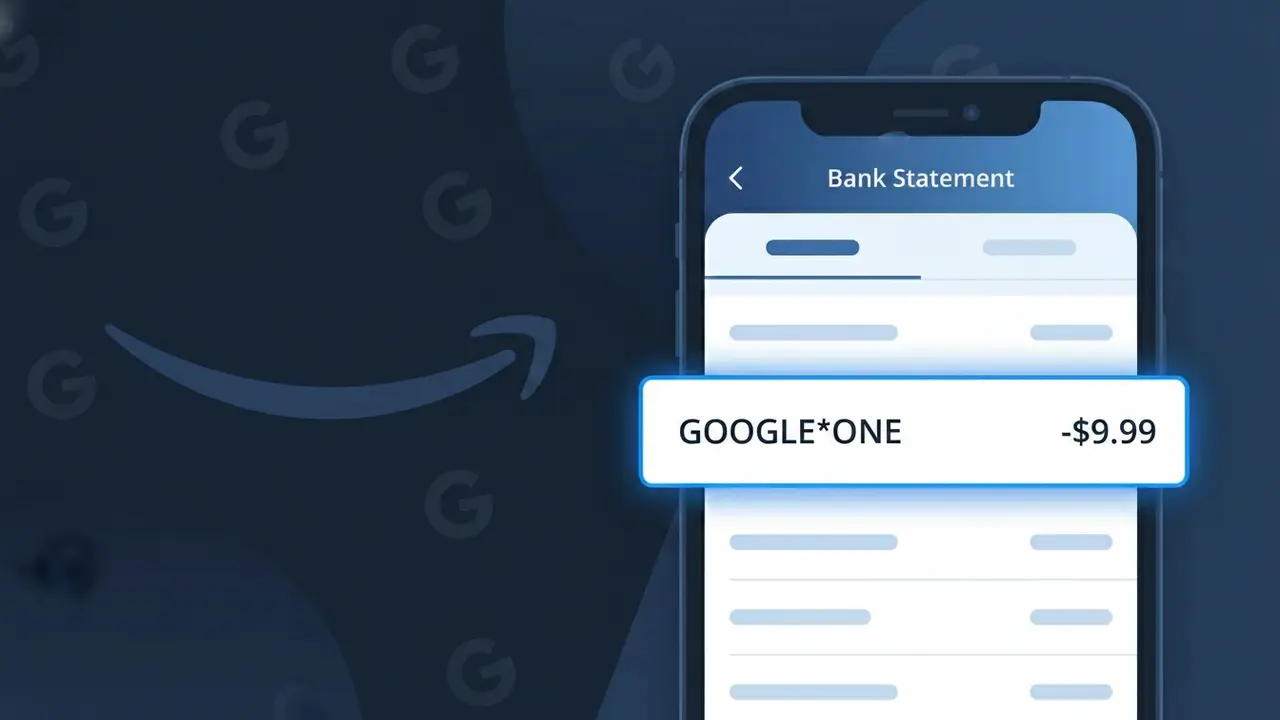
GOOGLE*ONE Charge (What It Is + Is It Legit?)
✓ LegitimateThe "GOOGLE*ONE" charge is from Google One. Google One storage subscription.
Google One
Google One storage subscription.
Category
Tech
Avg. Charge
$2.99
Country
US
Billing Cycle
Monthly
Cancel At
one.google.com
Support
See website
Understanding this descriptor
When Google processes payments for its Google One cloud storage subscription service, it routes billing through Google's internal payment infrastructure, which uses a truncated asterisk-separated format to identify specific Google products and services within a single billing ecosystem. The "GOOGLE*ONE" descriptor is a standardized shorthand that Google's payment system generates to distinguish Google One charges from other Google products like Google Play or Google Workspace that might appear separately on the same statement. This compact format is a deliberate design choice by Google to fit within the character limits imposed by card networks and banking systems while still making the product identifiable to subscribers.
Recommended actions
Identify the charge
The GOOGLE*ONE charge on your bank statement is from Google One, a cloud storage subscription service. It covers expanded storage across Google Drive, Gmail, and Google Photos. Check the amount against Google One's current plans at one.google.com to confirm which storage tier you are subscribed to.
Log in and verify your subscription
Visit one.google.com and sign in with your Google account to confirm an active Google One membership exists. Check the subscription details including the billing cycle, renewal date, and storage plan to match it against the charge you see on your statement.
Check for shared or family access
Google One allows family sharing, so another family member with access to your payment method may have signed up. At one.google.com, review whether a family group is linked to your account, which could explain a charge you did not personally initiate.
Cancel if no longer needed
If you do not want to continue the Google One subscription, go to one.google.com, navigate to your plan settings, and select the option to cancel your membership. Canceling will stop future GOOGLE*ONE charges from appearing on your bank statement, though you will retain access until the end of the current billing period.
How to cancel Google One
Google One bills you Monthly. To stop future charges, cancel from your account directly.
Cancel at Google OneIs this charge fraudulent?
No, this is a legitimate charge from Google One. However, if you did not authorize this charge or cancelled your subscription, you may be eligible for a refund.
Is the GOOGLE*ONE Charge Legitimate or Fraud?
In most cases, a GOOGLE*ONE charge on your bank or credit card statement is completely legitimate. It represents a recurring subscription payment to Google One, Google's premium storage and benefits service that provides expanded cloud storage across Gmail, Google Drive, and Google Photos. If you or someone in your household signed up for a Google One plan, this charge is expected and valid.
- Google One bills monthly or annually, so GOOGLE*ONE charges recur on a regular schedule
- Google One plans start at $1.99/month for 100GB and scale up to several terabytes of storage
- Family group members sharing a Google One plan may also trigger a GOOGLE*ONE charge on the account holder's card
- Upgrading or changing your Google One storage tier can cause a one-time or adjusted GOOGLE*ONE charge to appear
How to Verify the GOOGLE*ONE Charge
- 1
Log into your Google One account
Visit one.google.com and sign in to review your active subscription plan, billing amount, and next renewal date. Your current plan tier will confirm whether the GOOGLE*ONE charge amount matches what you subscribed to.
- 2
Search your email for Google One receipts
Search your Gmail or inbox for emails from 'Google One' or 'noreply@google.com' with subject lines referencing payment confirmations. These receipts will show the exact charge amount and date matching the GOOGLE*ONE transaction.
- 3
Check household and family group members
If you are the Google One plan owner, family members you invited to share your plan could have triggered storage upgrades or add-ons resulting in the GOOGLE*ONE charge. Review your Google One family group settings at one.google.com.
- 4
Review subscriptions in Google Play
Open the Google Play app or visit play.google.com/store/account/subscriptions to see if Google One is listed as an active subscription. Some users sign up for Google One through Google Play, which still shows as GOOGLE*ONE on statements.
- 5
Contact your bank for transaction details
If you still cannot identify the GOOGLE*ONE charge, call the number on the back of your card and ask for the full merchant details, transaction ID, and billing descriptor. This can help confirm whether the charge originated from Google One.
How to Dispute a GOOGLE*ONE Charge
- 1
Act within 60 days of the charge
Most banks require you to dispute an unrecognized GOOGLE*ONE charge within 60 days of the statement date. Acting quickly improves your chances of a successful chargeback or refund from Google One.
- 2
Contact Google One support first
Visit support.google.com/googleone and use the 'Contact Us' option to report an unauthorized or incorrect GOOGLE*ONE charge. Google One support can often issue a refund faster than a bank dispute, especially for accidental renewals.
- 3
File a chargeback with your bank or card issuer
If Google One support does not resolve the issue, call your bank or credit card issuer to file a formal dispute for the GOOGLE*ONE charge. Provide the transaction date, amount, and any correspondence with Google One support to strengthen your case.
- 4
Request a new card if fraud is suspected
If you believe the GOOGLE*ONE charge is part of unauthorized account activity or identity theft, ask your bank to cancel your current card and issue a new one. Also change your Google account password and enable two-factor authentication immediately.
Tips for Managing Google One Charges
Set a billing alert for your GOOGLE*ONE renewal date so you're never surprised by the charge.
Keep your Google One plan receipts in a dedicated email folder for easy reference during disputes.
Secure your Google account with two-factor authentication to prevent unauthorized Google One upgrades.
Switch to an annual Google One plan to reduce the frequency of GOOGLE*ONE charges and save up to 16%.
Only one payment method should be linked to Google One — remove old cards to avoid duplicate GOOGLE*ONE charges.
Use WhatIsThisCharge.net to identify related charges like GOOGLE*STORAGE or GOOGLE*PLAY on your statement.
ℹ️ Note
Most people who see a GOOGLE*ONE charge simply have an active Google One subscription for extra cloud storage across Gmail, Drive, or Photos — it's one of Google's most common recurring charges. If the amount matches your plan price, there is nothing to worry about.
Common questions
Was this page helpful?
Community Reports (0)
0 votesNo votes yet — be the first to report on this charge!
Have you seen this charge? Help others by voting:
Community Comments (0)
No comments yet. Be the first to share your experience!
Share your experience
Your email is only used to verify your comment and will never be shown publicly.
Search Another Charge
Popular Charges

Amazon Marketplace
AMZN MKTP US
Netflix
NETFLIX *SUBSCRIPTION
Netflix
NETFLIX.COM *
Apple
APPLE *SUBSCRIPTION
Apple
APPLE.COM/BILL
Related Charges
Need to dispute this charge?
Generate a professional dispute letter in seconds with our AI tool.
Open Charge AssistantCommunity Verified
Real user reports
Free to Use
Always free to check
Secure & Private
Your data is safe
Help Millions
48K+ charges identified