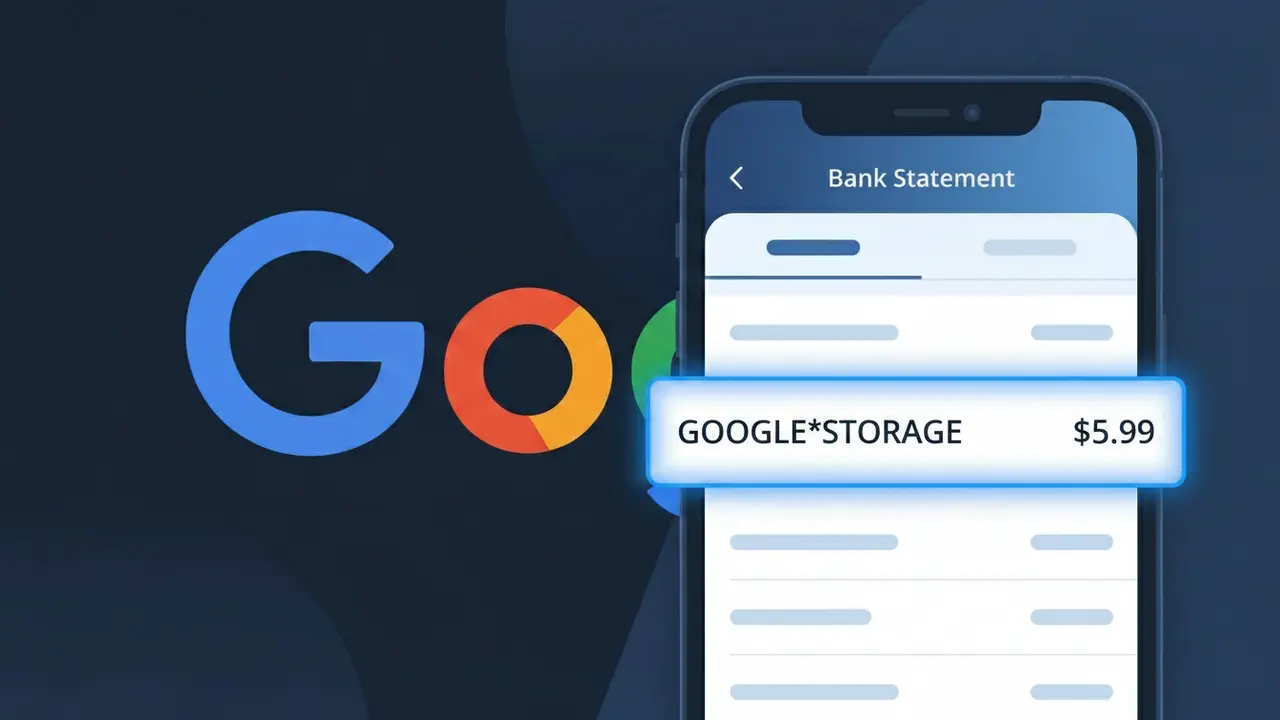
GOOGLE*STORAGE Charge (What It Is + Is It Legit?)
✓ LegitimateThe "GOOGLE*STORAGE" charge is from Google One Storage. Google One cloud storage subscription.
Google One Storage
Google One cloud storage subscription.
Category
Tech
Avg. Charge
$2.99
Country
US
Billing Cycle
Monthly
Cancel At
one.google.com
Support
See website
Understanding this descriptor
Google uses a shortened billing descriptor format across its family of products, which is why Google One Storage subscribers often see "GOOGLE*STORAGE" on their bank statements rather than the full service name. The asterisk-separated format is a standard convention used by Google's payment processing system to identify the specific product category within its broader suite of services, keeping the descriptor concise enough to fit within the character limits imposed by card networks like Visa and Mastercard. If you're paying $2.99 or more each month and recognize signing up for extra cloud storage through Google One, this charge is legitimate and recurring on your billing cycle.
Recommended actions
Verify Your Google One Subscription
Visit one.google.com and sign in with your Google account to confirm you have an active Google One storage plan. The GOOGLE*STORAGE charge on your statement corresponds directly to this subscription, so check that the billing amount matches your chosen storage tier.
Check Which Google Account Was Billed
If you have multiple Google accounts, make sure to check each one at one.google.com to identify which specific account triggered the GOOGLE*STORAGE charge. Sometimes a forgotten secondary account may have an active Google One plan you are unaware of.
Review Your Google One Storage Usage
Once logged into one.google.com, review how much storage you are actually using across Gmail, Google Drive, and Google Photos. If the GOOGLE*STORAGE charge is for a plan larger than you need, consider downgrading to a smaller and less expensive Google One tier.
Cancel or Manage Google One If Needed
If you no longer need the subscription or did not intend to keep it, go to one.google.com to cancel your Google One Storage plan and stop future GOOGLE*STORAGE charges from appearing on your bank statement. Cancellation takes effect at the end of your current billing period.
How to cancel Google One Storage
Google One Storage bills you Monthly. To stop future charges, cancel from your account directly.
Cancel at Google One StorageIs this charge fraudulent?
No, this is a legitimate charge from Google One Storage. However, if you did not authorize this charge or cancelled your subscription, you may be eligible for a refund.
Is the GOOGLE*STORAGE Charge Legitimate or Fraud?
The GOOGLE*STORAGE charge on your bank or credit card statement is almost always a legitimate billing from Google One Storage, Google's paid cloud storage subscription service. This charge appears when you've subscribed to a Google One plan to expand your storage beyond the free 15GB limit shared across Gmail, Google Drive, and Google Photos.
- You or a family member signed up for a Google One Storage plan (100GB, 200GB, 2TB, etc.)
- Your free Google storage was exceeded and you opted into a paid tier
- A Google One family group member added storage that bills to your payment method
- A free trial for Google One Storage recently ended and auto-renewed to a paid subscription
How to Verify the GOOGLE*STORAGE Charge
- 1
Check your Google One account
Visit one.google.com and sign in to confirm your active Google One Storage plan and see the exact billing amount matching your GOOGLE*STORAGE charge.
- 2
Search your email for receipts
Search your Gmail inbox for 'Google One' or 'Google Storage' to find official billing receipts that should match the GOOGLE*STORAGE transaction date and amount.
- 3
Check household or family members
Google One Storage allows family sharing — ask household members if they joined your Google One family group, which could explain the GOOGLE*STORAGE charge on your account.
- 4
Review your Google subscriptions
Go to myaccount.google.com > Payments & subscriptions > Manage subscriptions to see all active Google One Storage plans tied to your Google account.
- 5
Contact your bank for details
If you still can't verify the GOOGLE*STORAGE charge, ask your bank for the exact merchant ID or transaction details to confirm it originated from Google One Storage.
How to Dispute a GOOGLE*STORAGE Charge
- 1
Act within 60 days
Most banks require disputes to be filed within 60 days of the GOOGLE*STORAGE charge appearing on your statement, so don't delay if you believe it's unauthorized or incorrect.
- 2
Contact Google One Storage first
Visit support.google.com or the Google One app and request a refund directly — Google One Storage sometimes issues refunds for recent charges, especially within 48 hours of billing.
- 3
File a chargeback with your bank
If Google One Storage denies your refund request, contact your bank or card issuer to dispute the GOOGLE*STORAGE charge as unauthorized and provide any supporting documentation.
- 4
Request a new card number
If you suspect fraud behind the GOOGLE*STORAGE charge, ask your bank for a replacement card to prevent further unauthorized Google One Storage billing to your old card number.
Tips for Managing Google One Storage Charges
Set a billing alert in your bank app to flag GOOGLE*STORAGE charges the moment they post.
Keep a record of your Google One Storage plan tier and renewal date to anticipate charges.
Secure your Google account with 2FA to prevent unauthorized Google One Storage subscriptions.
Note whether your Google One Storage plan bills monthly or annually to avoid surprise charges.
Regularly audit family members on your Google One plan to avoid unexpected shared billing.
Use WhatIsThisCharge.net to identify related charges like GOOGLE*GSUITE or GOOGLE*PLAY.
ℹ️ Note
In most cases, the GOOGLE*STORAGE charge is a routine, expected billing from Google One Storage for your cloud storage plan — simply log into one.google.com to confirm your subscription and put any concerns to rest.
Common questions
Was this page helpful?
Community Reports (0)
0 votesNo votes yet — be the first to report on this charge!
Have you seen this charge? Help others by voting:
Community Comments (0)
No comments yet. Be the first to share your experience!
Share your experience
Your email is only used to verify your comment and will never be shown publicly.
Search Another Charge
Popular Charges

Amazon Marketplace
AMZN MKTP US
Netflix
NETFLIX *SUBSCRIPTION
Apple
APPLE *SUBSCRIPTION
Netflix
NETFLIX.COM *
Apple
APPLE.COM/BILL
Related Charges
Need to dispute this charge?
Generate a professional dispute letter in seconds with our AI tool.
Open Charge AssistantCommunity Verified
Real user reports
Free to Use
Always free to check
Secure & Private
Your data is safe
Help Millions
48K+ charges identified