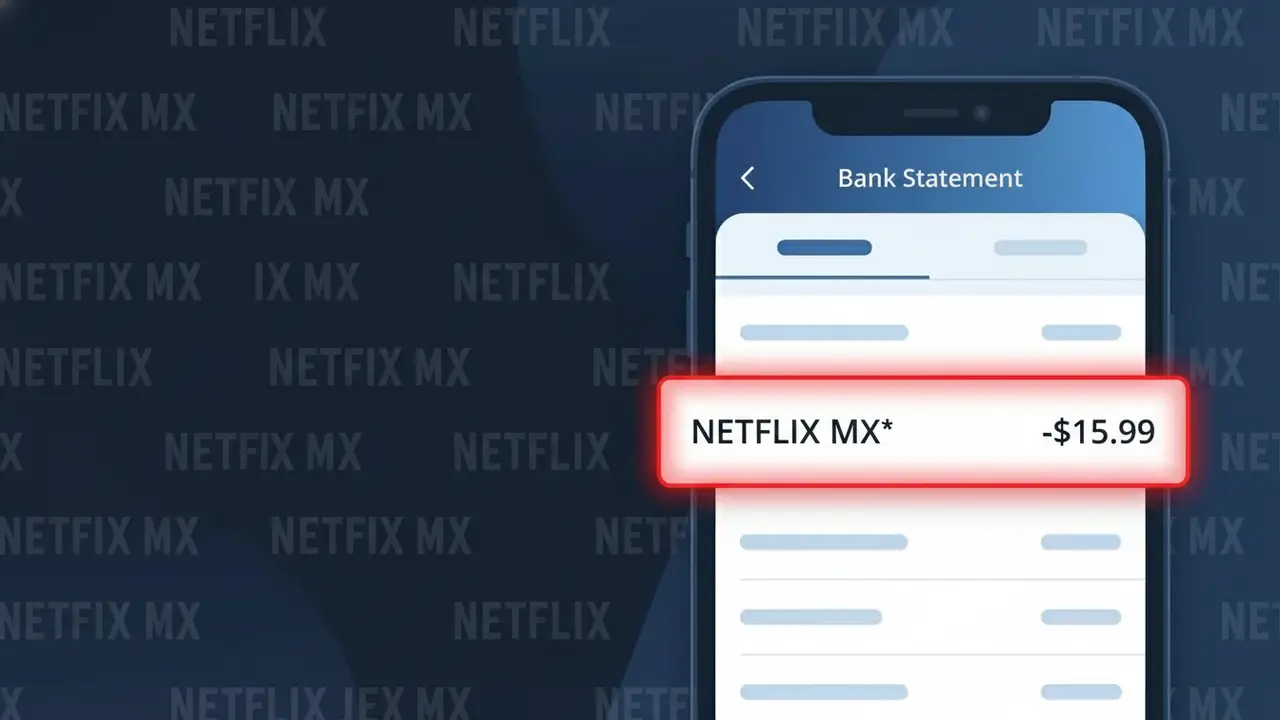
NETFLIX MX* Charge (What It Is + Is It Legit?)
✓ LegitimateThe "NETFLIX MX*" charge is from Netflix Mexico. Netflix suscripcion mensual Mexico.
Netflix Mexico
Netflix suscripcion mensual Mexico.
Category
Streaming
Avg. Charge
$219 MXN
Country
MX
Billing Cycle
Monthly
Cancel At
netflix.com/cancel
Support
See website
Why this shows on your statement
Netflix Mexico processes its subscription billing through a regional payment system that truncates the full company name into a standardized merchant code format, which is why "NETFLIX MX*" appears on your bank statement rather than the complete name. The "MX" portion is the ISO country code for Mexico, identifying this as a charge from Netflix's Mexican billing entity, while the asterisk is a standard separator used by payment processors to distinguish the merchant identifier from any additional transaction reference data that may follow. If you are a subscriber paying the monthly fee of approximately $219 MXN for your Netflix suscripcion mensual in Mexico, this shortened descriptor is the expected and legitimate way this charge will appear across most Mexican and international bank statements.
What should you do?
Confirm Your Netflix Mexico Subscription
Log in to your account at netflix.com and check that you have an active subscription billed through Netflix Mexico. The NETFLIX MX* charge on your statement corresponds to a recurring monthly fee for Netflix's service in Mexico, so make sure the billing date and amount match what you see in your Netflix account settings.
Review Your Netflix Billing History
Visit netflix.com and go to Account then Billing Details to view your full payment history. Compare the NETFLIX MX* charge amount and date on your bank statement against Netflix Mexico's records to confirm the transaction is accurate and no duplicate or unexpected charges have been applied.
Check Who Has Access to Your Account
Since NETFLIX MX* is a legitimate charge, make sure you are the one using the subscription by visiting netflix.com and reviewing the Manage Access and Devices section. If you see unfamiliar devices or profiles on your Netflix Mexico account, update your password immediately to secure it.
Cancel If You No Longer Want the Service
If you do not recognize using Netflix Mexico or no longer want the subscription, go directly to netflix.com/cancel to stop future NETFLIX MX* charges from appearing on your bank statement. Cancellation takes effect at the end of your current billing period, so you will not be charged again after that date.
How to cancel Netflix Mexico
Netflix Mexico bills you Monthly. To stop future charges, cancel from your account directly.
Cancel at Netflix Mexicoℹ️ International processing
This charge is processed in MX. You may see a foreign transaction fee from your bank (typically 1-3%).
Should you be worried?
No, this is a legitimate charge from Netflix Mexico. However, if you did not authorize this charge or cancelled your subscription, you may be eligible for a refund.
Is the NETFLIX MX* Charge Legitimate or Fraud?
The NETFLIX MX* charge on your bank or credit card statement is almost always a legitimate billing from Netflix Mexico, the Spanish-language regional version of the Netflix streaming service. This descriptor appears when Netflix processes payments through its Mexican billing entity, which is common if you subscribed via a Mexican plan, use a Mexican payment method, or your account was billed in MXN (Mexican pesos).
- You or a household member recently subscribed to or renewed a Netflix Mexico plan
- Netflix Mexico charges in MXN, which may cause unfamiliar conversion amounts on foreign cards
- A free trial on a Netflix Mexico account has ended and billing has begun automatically
- A family member added a Netflix Mexico profile or extra member slot to the account
How to Verify the NETFLIX MX* Charge
- 1
Log into your Netflix Mexico account
Visit netflix.com and go to Account > Billing Details to confirm the charge amount and date match the NETFLIX MX* entry on your statement.
- 2
Search your email for Netflix Mexico receipts
Look for billing confirmation emails from Netflix sent around the same date as the NETFLIX MX* charge — search for 'Netflix receipt' or 'netflix.com' in your inbox.
- 3
Check household members and profiles
Ask family members or roommates if they used your card to sign up for Netflix Mexico, or check if an 'Extra Member' slot was recently added to your account.
- 4
Review active subscriptions
Check your phone's app store (Google Play or Apple App Store) to see if a Netflix Mexico subscription was initiated through a third-party billing channel.
- 5
Contact your bank for more details
If you still cannot place the NETFLIX MX* charge, call the number on your card and ask for the full merchant details, including the transaction date and billing country.
How to Dispute a NETFLIX MX* Charge
- 1
Act within 60 days
Most banks require you to dispute an unrecognized NETFLIX MX* charge within 60 days of the statement date — act quickly to preserve your chargeback rights.
- 2
Contact Netflix Mexico first
Visit netflix.com/contactus or call Netflix support to report the unauthorized NETFLIX MX* charge. Netflix can often issue a refund directly, which is faster than a bank dispute.
- 3
File a chargeback with your bank
If Netflix Mexico does not resolve the issue, contact your bank or card issuer and formally dispute the NETFLIX MX* charge as unauthorized, providing any supporting email evidence.
- 4
Request a new card number
If the NETFLIX MX* charge appears fraudulent, ask your bank to cancel your current card and issue a new one to prevent any further unauthorized Netflix Mexico billing.
Tips for Managing Netflix Mexico Charges
Enable bank alerts for any NETFLIX MX* transaction so you're notified the moment Netflix Mexico bills your card.
Screenshot your Netflix Mexico plan details monthly so you have a record if a NETFLIX MX* charge amount changes unexpectedly.
Secure your Netflix Mexico account with a strong, unique password to prevent unauthorized access that could lead to unexpected NETFLIX MX* charges.
Note your Netflix Mexico billing cycle renewal date so you're never caught off guard by the recurring NETFLIX MX* charge each month.
Use a virtual card number for your Netflix Mexico subscription to isolate NETFLIX MX* charges and simplify cancellation if needed.
Use WhatIsThisCharge.net to identify related charges that may appear alongside NETFLIX MX* on your statement.
ℹ️ Note
In most cases, a <strong>NETFLIX MX*</strong> charge is simply Netflix Mexico's standard monthly subscription fee appearing on your statement — often seen when your account is billed through Mexico's regional pricing. A quick login to your Netflix account is usually all it takes to confirm everything is in order.
Questions and answers
Was this page helpful?
Community Reports (0)
0 votesNo votes yet — be the first to report on this charge!
Have you seen this charge? Help others by voting:
Community Comments (0)
No comments yet. Be the first to share your experience!
Share your experience
Your email is only used to verify your comment and will never be shown publicly.
Search Another Charge
Popular Charges
Mercado Libre
MERCADO LIBRE*
Uber Mexico
UBER MX*
Izzi Telecom
IZZI*
Rappi Mexico
RAPPI MX*

Amazon Mexico
AMZN MKTP MX
Related Charges
Need to dispute this charge?
Generate a professional dispute letter in seconds with our AI tool.
Open Charge AssistantCommunity Verified
Real user reports
Free to Use
Always free to check
Secure & Private
Your data is safe
Help Millions
48K+ charges identified