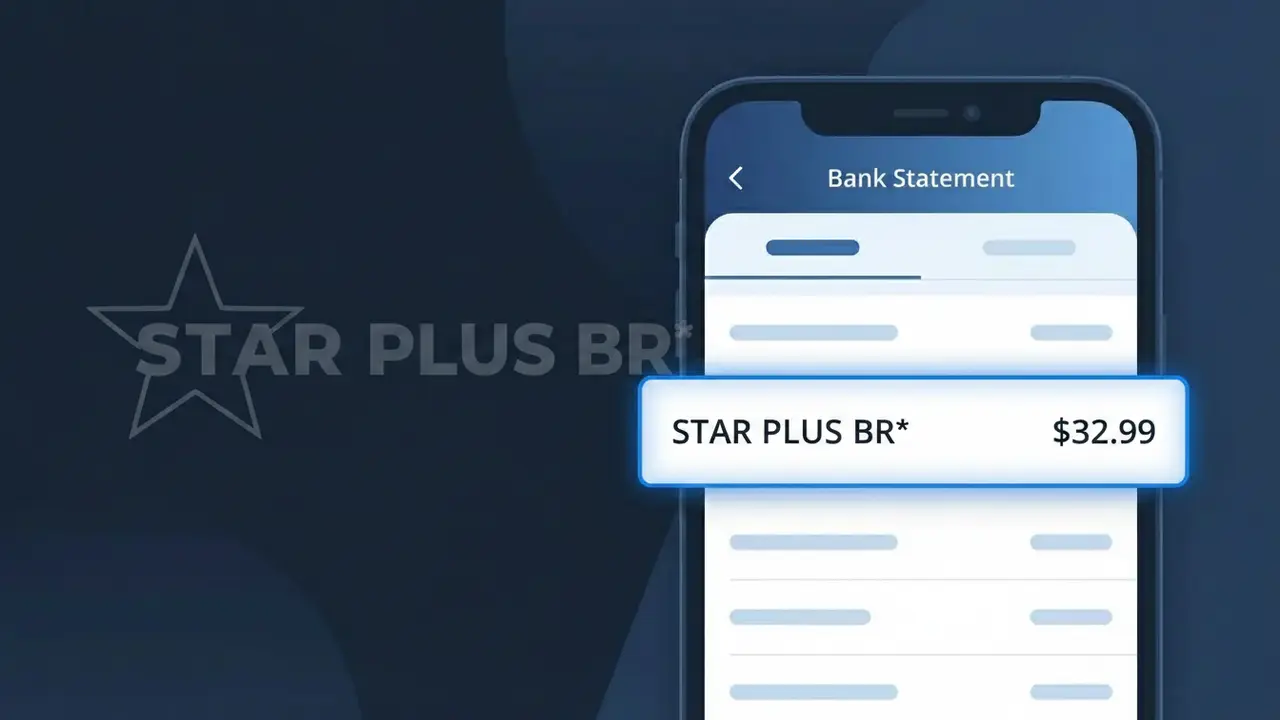
STAR PLUS BR* Charge (What It Is + Is It Legit?)
✓ LegitimateThe "STAR PLUS BR*" charge is from Star+. Star+ streaming assinatura Brasil.
Star+
Star+ streaming assinatura Brasil.
Category
Streaming
Avg. Charge
R$32.90
Country
BR
Billing Cycle
Monthly
Cancel At
starplus.com/account
Support
See website
What is this charge?
When Star+ processes subscription payments for its Brazilian streaming service, the charge appears as "STAR PLUS BR*" on bank statements because the platform's billing system uses an expanded version of the brand name alongside a country code to distinguish regional transactions processed through its Latin American payment infrastructure. The asterisk in "STAR PLUS BR*" is a standard delimiter used by payment processors to separate the merchant identifier from additional transaction reference data that may follow. Brazilian subscribers paying the monthly R$32.90 fee for Star+ will consistently see this descriptor format, which reflects how Disney's billing operations encode Star+ charges specifically for the Brasil market.
How to handle this charge
Confirm your Star+ subscription
Log in to your Star+ account at starplus.com and navigate to your account settings to verify that you have an active subscription. The STAR PLUS BR* charge on your statement corresponds to a Star+ streaming subscription billed in Brazil, so check that the charge amount matches your current plan.
Review your Star+ billing history
While logged in to starplus.com, check your billing or payment history section to compare past charges against the STAR PLUS BR* entry on your bank statement. This will confirm whether the amount and billing date align with your regular Star+ subscription cycle.
Check who has access to your Star+ account
In your Star+ account settings at starplus.com, review any linked profiles or devices to make sure only people you authorized are using the subscription. If you spot unfamiliar profiles or devices connected to your Star+ account, update your password immediately.
Cancel Star+ if you no longer want the service
If you recognize the STAR PLUS BR* charge but no longer wish to continue your Star+ subscription, visit starplus.com/account to manage or cancel your plan. Make sure to cancel before your next billing date to avoid being charged again in the following month.
How to cancel Star+
Star+ bills you Monthly. To stop future charges, cancel from your account directly.
Cancel at Star+ℹ️ International processing
This charge is processed in BR. You may see a foreign transaction fee from your bank (typically 1-3%).
Quick fraud check
No, this is a legitimate charge from Star+. However, if you did not authorize this charge or cancelled your subscription, you may be eligible for a refund.
Is the STAR PLUS BR* Charge Legitimate or Fraud?
If you see STAR PLUS BR* on your bank or credit card statement, this charge almost certainly comes from Star+, the Latin American streaming service owned by The Walt Disney Company that offers sports, movies, and series content. This billing descriptor appears when Star+ processes a subscription payment in Brazil (indicated by the "BR" suffix), and is a normal, expected charge for active subscribers.
- STAR PLUS BR* is the official billing name Star+ uses for Brazilian market subscriptions
- The charge reflects a recurring monthly or annual Star+ subscription fee
- It may also appear after a free trial period automatically converts to a paid plan
- Bundle subscribers paying for Star+ alongside Disney+ or ESPN+ may also see this descriptor
How to Verify the STAR PLUS BR* Charge
- 1
Log into your Star+ account
Visit starplus.com and sign in to check your active subscription plan and billing history. Your account dashboard will show if a payment matching the STAR PLUS BR* amount was recently processed.
- 2
Search your email for Star+ receipts
Look in your inbox for emails from Star+ or Disney containing subscription confirmation or payment receipt messages. Search keywords like 'Star+', 'StarPlus', or 'STAR PLUS BR*' to locate relevant billing emails.
- 3
Check with household members
Ask family members or roommates if they signed up for Star+ using a shared payment method. Star+ allows multiple profiles, so another person in your household may have initiated the subscription.
- 4
Review connected app store subscriptions
If Star+ was subscribed through Google Play, Apple App Store, or Roku, the STAR PLUS BR* charge may route through those platforms. Check your app store subscription settings to confirm.
- 5
Contact your bank for transaction details
Call the number on the back of your card and ask for the full merchant details behind the STAR PLUS BR* charge. Banks can often provide additional merchant information that helps confirm the source.
How to Dispute a STAR PLUS BR* Charge
- 1
Act within 60 days of the charge
Most banks require you to dispute unauthorized charges within 60 days of the statement date. If you don't recognize the STAR PLUS BR* charge, begin the dispute process as soon as possible to protect your rights.
- 2
Contact Star+ support first
Reach out to Star+ customer service through help.starplus.com before escalating to your bank. Star+ may be able to confirm the charge, issue a refund for an accidental billing, or help you cancel an unwanted subscription quickly.
- 3
File a chargeback with your bank
If Star+ is unresponsive or confirms the charge is unauthorized, contact your bank or card issuer to file a formal chargeback. Provide the STAR PLUS BR* transaction date, amount, and any communication you had with Star+ support.
- 4
Request a new card number
If you suspect your card details were used fraudulently to sign up for Star+, ask your bank to issue a replacement card with a new number. This prevents any further STAR PLUS BR* charges from appearing on your account.
Tips for Managing Star+ Charges
Set a billing alert for STAR PLUS BR* so you're notified the moment each Star+ payment posts to your account.
Save your Star+ subscription confirmation email so you can cross-reference the amount if STAR PLUS BR* ever looks different.
Enable two-factor authentication on your Star+ account to prevent unauthorized sign-ins that could lead to unexpected charges.
Note your Star+ renewal date each month or year so STAR PLUS BR* charges never catch you off guard at billing time.
Use a virtual card number for your Star+ subscription to limit exposure if your payment details are ever compromised.
Use WhatIsThisCharge.net to identify related charges that may appear alongside STAR PLUS BR* on your statement.
ℹ️ Note
In most cases, seeing STAR PLUS BR* on your statement simply means your Star+ streaming subscription has renewed as expected — this is a routine charge from a trusted, Disney-owned service and is very rarely a sign of fraud.
Frequently Asked Questions
Was this page helpful?
Community Reports (0)
0 votesNo votes yet — be the first to report on this charge!
Have you seen this charge? Help others by voting:
Community Comments (0)
No comments yet. Be the first to share your experience!
Share your experience
Your email is only used to verify your comment and will never be shown publicly.
Search Another Charge
Popular Charges
PIX via Itaú Bank
PIX TRF ITAU
Nubank
NUBANK FATURA
Mercado Pago
MERCADO PAGO BR
Vivo (Telefônica)
VIVO*
Shopee Brasil
SHOPEE BR*
Related Charges
Need to dispute this charge?
Generate a professional dispute letter in seconds with our AI tool.
Open Charge AssistantCommunity Verified
Real user reports
Free to Use
Always free to check
Secure & Private
Your data is safe
Help Millions
48K+ charges identified