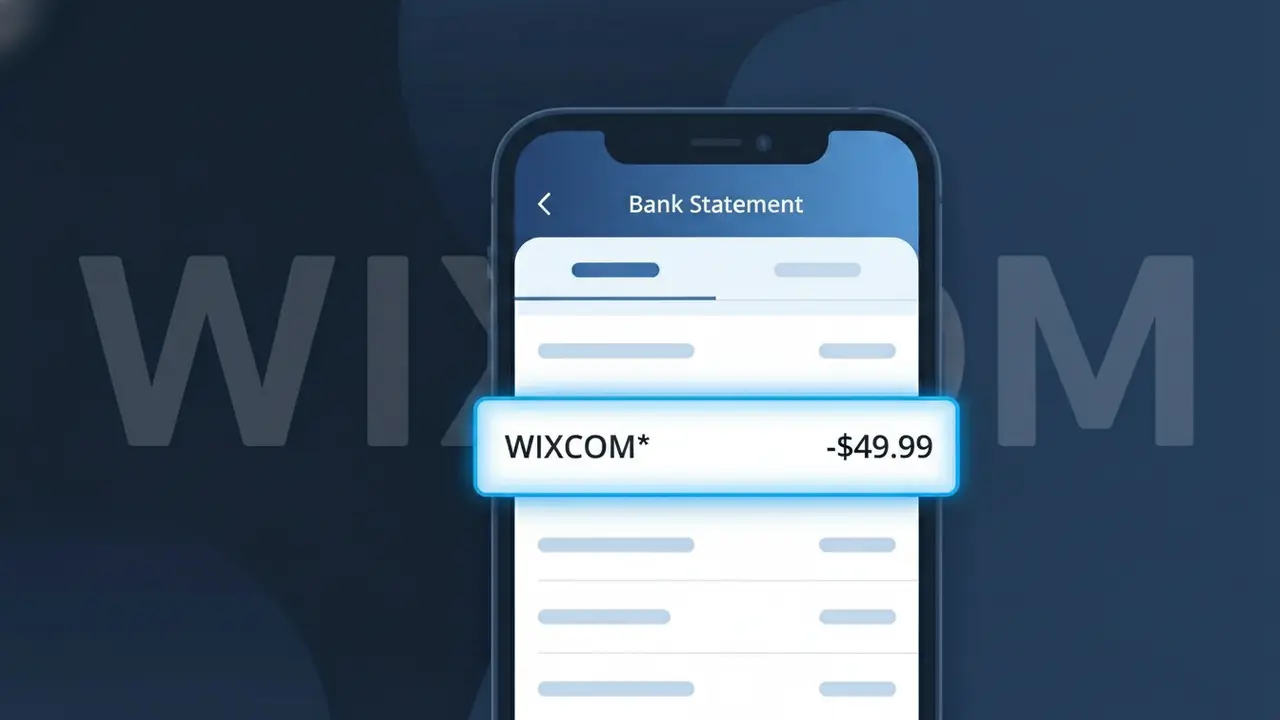
WIXCOM* Charge (What It Is + Is It Legit?)
✓ LegitimateThe "WIXCOM*" charge is from Wix. Wix website subscription.
Wix
Wix website subscription.
Category
SaaS
Avg. Charge
$14.00
Country
US
Billing Cycle
Monthly
Cancel At
manage.wix.com/premium-purchase-plan
Support
See website
What is this charge?
When Wix processes subscription payments, the charge shows up as WIXCOM\* on your bank statement because the company bills under its registered domain-based entity name, Wix.com, rather than simply "Wix." The asterisk following WIXCOM is a standard convention used by payment processors to separate the merchant identifier from additional transaction details, such as a plan name or billing period. If you see WIXCOM\* on your statement and you have an active Wix website plan, this is a legitimate charge for your monthly subscription, which typically runs around $14.00 depending on the plan tier you selected.
How to handle this charge
Confirm your Wix subscription
Log in to your Wix account at wix.com and navigate to your account settings to check if you have an active premium plan. The WIXCOM* charge on your statement corresponds to a Wix website subscription, so verify that the charge amount matches your current plan pricing.
Review your Wix premium plan details
Visit manage.wix.com/premium-purchase-plan to see a full breakdown of your active Wix subscription, including the plan tier, billing cycle, and renewal date. This will help you confirm whether the WIXCOM* charge aligns with what you signed up for.
Check for multiple Wix sites
If you manage more than one website through Wix, be aware that each site can have its own separate premium subscription. Log in to wix.com and review all sites under your account to ensure the WIXCOM* charge is not an unexpected renewal on a site you forgot was still active.
Cancel or adjust your Wix plan if needed
If you no longer need the Wix subscription tied to the WIXCOM* charge, go to manage.wix.com/premium-purchase-plan to downgrade or cancel your plan before the next billing cycle. Canceling through this page ensures you stop future WIXCOM* charges from appearing on your bank statement.
How to cancel Wix
Wix bills you Monthly. To stop future charges, cancel from your account directly.
Cancel at WixQuick fraud check
No, this is a legitimate charge from Wix. However, if you did not authorize this charge or cancelled your subscription, you may be eligible for a refund.
Is the WIXCOM* Charge Legitimate or Fraud?
A WIXCOM* charge on your bank or credit card statement is almost always a legitimate billing from Wix, the popular website builder and SaaS platform. Wix uses the descriptor "WIXCOM*" followed by additional characters (such as a plan name or order ID) to identify subscription and one-time payments. This charge is expected if you or someone with access to your payment method has an active Wix plan.
- You subscribed to a Wix Premium plan (Combo, Unlimited, Business, etc.) and the billing cycle renewed automatically
- You purchased a domain name, Wix Payments account, or an add-on app through the Wix App Market
- A free trial period on a Wix plan ended and converted to a paid subscription
- A family member or colleague used your card to set up or renew their own Wix website
How to Verify the WIXCOM* Charge
- 1
Log into your Wix account
Visit wix.com and sign in, then navigate to Billing & Payments under your account settings to view all invoices and active subscriptions tied to WIXCOM* charges.
- 2
Search your email for Wix receipts
Search your inbox for emails from "noreply@wix.com" or the subject line "Your Wix receipt" to find a matching invoice that corresponds to the WIXCOM* charge amount.
- 3
Check household members or colleagues
Ask anyone who shares your payment method whether they created or renewed a Wix site, since WIXCOM* charges can appear when a shared card is used for another person's account.
- 4
Review all active Wix subscriptions
Inside your Wix dashboard, go to Subscriptions to see every active plan and renewal date — domain renewals and app subscriptions each generate a separate WIXCOM* line item.
- 5
Contact your bank for details
If you still cannot match the charge, ask your bank for the full merchant descriptor and transaction date, then cross-reference with your Wix billing history for that exact date.
How to Dispute a WIXCOM* Charge
- 1
Act within 60 days
Most banks require disputes to be filed within 60 days of the statement date. If you spot an unexpected WIXCOM* charge, begin the process immediately to protect your chargeback rights.
- 2
Contact Wix support first
Reach Wix through the Help Center at support.wix.com or via live chat. Wix offers refunds in many cases, and resolving it directly is faster than a bank dispute — have your WIXCOM* charge amount and date ready.
- 3
File a chargeback with your bank
If Wix does not resolve the issue, contact your bank or card issuer to initiate a chargeback. Provide the WIXCOM* transaction details, the charge amount, and any email correspondence with Wix as supporting evidence.
- 4
Request a new card number
If you suspect unauthorized use of your card for Wix charges, ask your bank to issue a replacement card with a new number to prevent further unauthorized WIXCOM* billing.
Tips for Managing Wix Charges
Enable Wix email billing alerts so you're notified before any WIXCOM* charge is processed.
Keep a record of every Wix plan and domain you own to quickly match future WIXCOM* charges.
Use a dedicated card for your Wix account to isolate WIXCOM* charges and simplify tracking.
Note your Wix subscription renewal dates — annual plans renew quietly and generate a large WIXCOM* charge.
Cancel unused Wix plans before renewal to avoid unexpected WIXCOM* charges on your statement.
Use WhatIsThisCharge.net to identify related charges that may appear alongside WIXCOM*.
ℹ️ Note
In most cases, a WIXCOM* charge simply means your Wix Premium plan or domain has auto-renewed — it's one of the most recognized SaaS billing descriptors we see reported. A quick check of your Wix dashboard under Billing & Payments will usually clear up any confusion within minutes.
Frequently Asked Questions
Was this page helpful?
Community Reports (0)
0 votesNo votes yet — be the first to report on this charge!
Have you seen this charge? Help others by voting:
Community Comments (0)
No comments yet. Be the first to share your experience!
Share your experience
Your email is only used to verify your comment and will never be shown publicly.
Search Another Charge
Popular Charges

Amazon Marketplace
AMZN MKTP US
Netflix
NETFLIX *SUBSCRIPTION
Netflix
NETFLIX.COM *
Apple
APPLE *SUBSCRIPTION
Apple
APPLE.COM/BILL
Related Charges
Need to dispute this charge?
Generate a professional dispute letter in seconds with our AI tool.
Open Charge AssistantCommunity Verified
Real user reports
Free to Use
Always free to check
Secure & Private
Your data is safe
Help Millions
48K+ charges identified