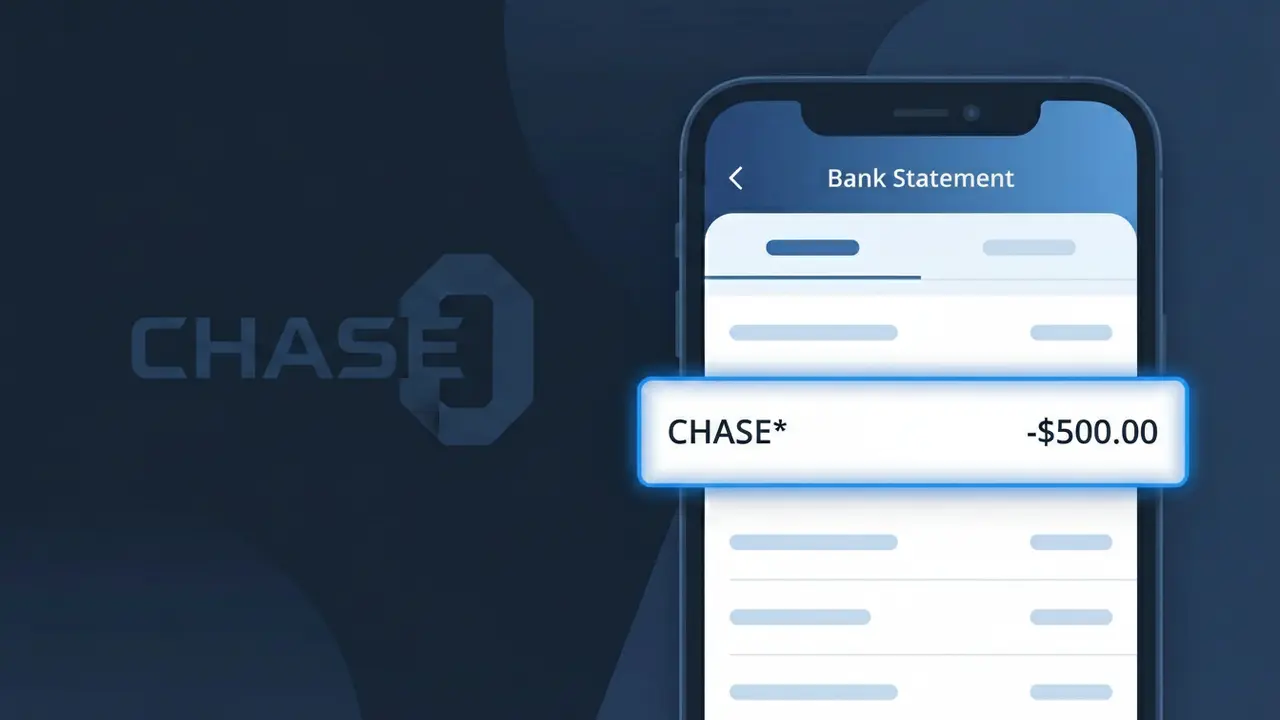
CHASE* Charge (What It Is + Is It Legit?)
✓ LegitimateThe "CHASE*" charge is from Chase Bank. Chase Bank fee or transaction.
Chase Bank
Chase Bank fee or transaction.
Category
Banking
Avg. Charge
Variable
Country
US
Billing Cycle
Variable
Cancel At
chase.com/account
Support
See website
Understanding this descriptor
Chase Bank uses the truncated descriptor "CHASE*" on bank statements because electronic payment networks and card processing systems impose strict character limits on transaction descriptions, typically capping them at 22 characters or fewer. Rather than letting the full name get cut off inconsistently by different banking systems, Chase Bank intentionally registers its billing descriptor in this shortened format followed by an asterisk, which often precedes additional transaction detail such as the service type or account identifier. If you see "CHASE*" on your statement, it is almost certainly a legitimate fee, payment, or transaction originating directly from Chase Bank or one of its financial products.
Recommended actions
Log Into Your Chase Account
Visit chase.com and sign in to your account to review your recent transaction history. Look for the CHASE* charge and check the date, amount, and any additional details provided to identify whether it corresponds to a known Chase Bank fee or service you use.
Identify the Specific Chase Fee
Chase Bank may apply charges for monthly maintenance fees, overdraft fees, wire transfer fees, or other account-related services. Cross-reference the CHASE* charge amount with your Chase account fee schedule, which you can find under your account details at chase.com, to pinpoint exactly what the charge is for.
Review or Update Your Chase Services
If the CHASE* charge is tied to a service or account tier you no longer need, log in at chase.com/account to review your current Chase products and services. You may be able to downgrade your account type, waive fees by meeting balance requirements, or make adjustments to avoid similar charges in the future.
Contact Chase Bank Directly for Clarification
If you still cannot identify the CHASE* charge after reviewing your account at chase.com, call the Chase Bank customer service number on the back of your debit or credit card. A Chase representative can pull up the specific transaction and explain exactly what the charge was applied for and whether any action is needed on your part.
Is this charge fraudulent?
No, this is a legitimate charge from Chase Bank. However, if you did not authorize this charge or cancelled your subscription, you may be eligible for a refund.
Is the CHASE* Charge Legitimate or Fraud?
A CHASE* charge on your bank or credit card statement is almost always a legitimate transaction originating directly from Chase Bank. This prefix appears when Chase processes fees, payments, or service charges tied to your Chase account. However, if you don't recognize the specific charge, it's worth investigating to rule out unauthorized account activity.
- Chase Bank uses the CHASE* descriptor for account fees, wire transfers, and service charges
- Monthly Chase checking or savings account maintenance fees often appear as CHASE*
- Chase credit card annual fees or interest charges may also show this prefix
- Unauthorized CHASE* entries could indicate identity theft or account compromise and should be reported immediately
How to Verify the CHASE* Charge
- 1
Log into your Chase Bank account
Visit chase.com or open the Chase Mobile app and compare the CHASE* charge amount and date against your transaction history to find an exact match.
- 2
Search your email for Chase Bank notices
Look in your inbox for emails from Chase Bank around the charge date — fee notices, statement alerts, or service change emails often explain a CHASE* charge.
- 3
Check household or authorized users
Ask family members or authorized users on your Chase account whether they initiated a transaction, transfer, or payment that would generate a CHASE* charge.
- 4
Review your Chase account features
Check whether you have a Chase account with a monthly maintenance fee, or recently triggered a fee for falling below a minimum balance, which often appears as CHASE*.
- 5
Contact Chase Bank directly
Call the number on the back of your Chase card or dial 1-800-935-9935 to ask a Chase representative to identify the specific CHASE* charge on your statement.
How to Dispute a CHASE* Charge
- 1
Act within 60 days
Federal regulations generally require you to dispute unauthorized CHASE* charges within 60 days of your Chase Bank statement date — don't delay if something looks wrong.
- 2
Contact Chase Bank first
Call Chase Bank at 1-800-935-9935 or use the secure message center in the Chase Mobile app to report the unrecognized CHASE* charge directly before escalating.
- 3
File a formal dispute
If Chase Bank cannot resolve the issue, file a formal dispute through chase.com under 'Account Services' > 'Dispute a Transaction' and document all correspondence about the CHASE* charge.
- 4
Request a new card or account number
If the CHASE* charge appears fraudulent and suggests your account was compromised, ask Chase Bank to issue a new account number to prevent further unauthorized activity.
Tips for Managing Chase Bank Charges
Enable Chase Bank account alerts to get notified instantly whenever a CHASE* charge posts to your account.
Review your Chase statement monthly — CHASE* fee charges can sometimes be waived if you meet qualifying criteria.
Keep your Chase Bank login credentials secure and enable two-factor authentication to prevent unauthorized CHASE* charges.
Know your Chase billing cycle — monthly maintenance fees appear as CHASE* on the same date each month, making them easier to anticipate.
Enroll in Chase's account protection services to add a layer of security against fraudulent CHASE* transactions.
Use WhatIsThisCharge.net to identify other related charges that may appear alongside CHASE* on your statement.
ℹ️ Note
In most cases, a CHASE* charge is a routine, legitimate fee from Chase Bank — such as a monthly maintenance or service fee tied directly to your existing Chase account. If the amount matches your account terms, there's typically nothing to worry about.
Common questions
Was this page helpful?
Community Reports (1)
1 votesHave you seen this charge? Help others by voting:
Community Comments (0)
No comments yet. Be the first to share your experience!
Share your experience
Your email is only used to verify your comment and will never be shown publicly.
Search Another Charge
Popular Charges

Amazon Marketplace
AMZN MKTP US
Netflix
NETFLIX *SUBSCRIPTION
Netflix
NETFLIX.COM *
Apple
APPLE *SUBSCRIPTION
Apple
APPLE.COM/BILL
Related Charges
Need to dispute this charge?
Generate a professional dispute letter in seconds with our AI tool.
Open Charge AssistantCommunity Verified
Real user reports
Free to Use
Always free to check
Secure & Private
Your data is safe
Help Millions
48K+ charges identified