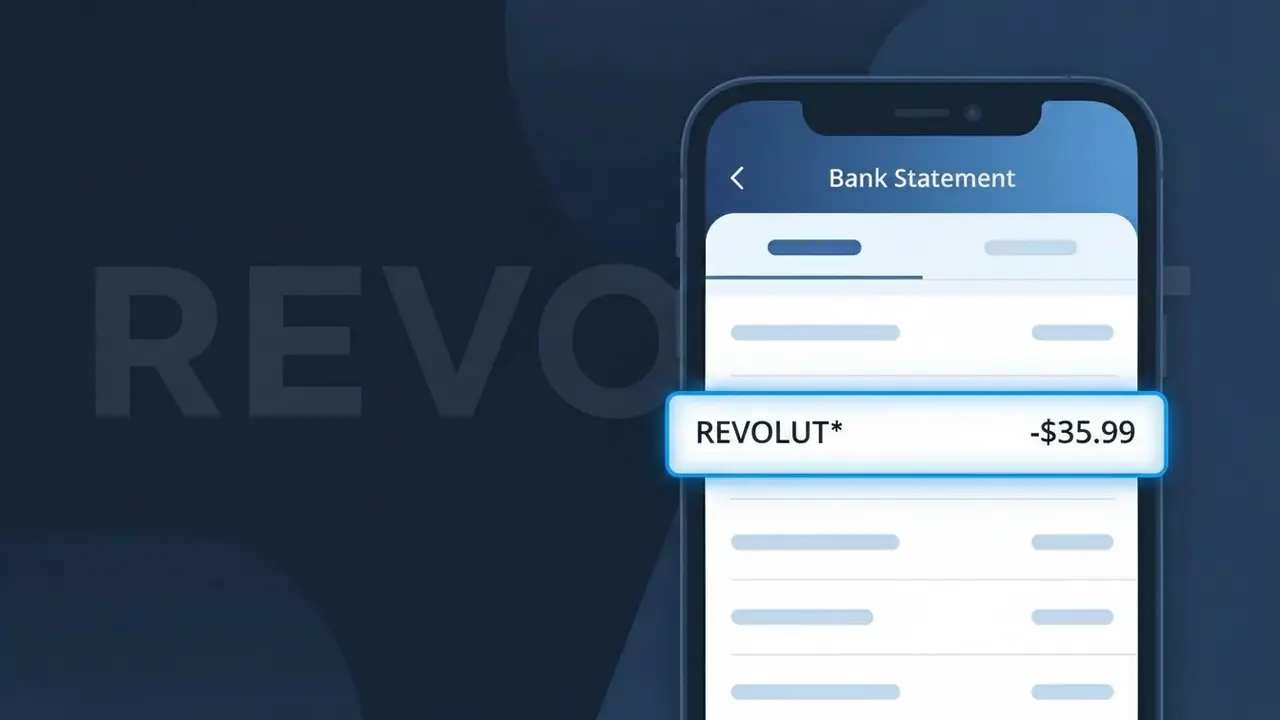
REVOLUT* Charge (What It Is + Is It Legit?)
✓ LegitimateThe "REVOLUT*" charge is from Revolut. Revolut premium subscription or fee.
Revolut
Revolut premium subscription or fee.
Category
Finance
Avg. Charge
$9.99
Country
GB
Billing Cycle
Monthly
Cancel At
app.revolut.com/settings
Support
See website
Why does this charge appear?
Revolut uses the truncated descriptor "REVOLUT*" on bank statements because card networks like Visa and Mastercard impose strict character limits on merchant descriptors, typically capping them at around 22 characters, which means companies often append an asterisk to signal that additional transaction detail follows. In Revolut's case, the asterisk typically precedes a reference code or subscription identifier tied to your specific account, helping their billing system distinguish between different fee types such as their Premium or Metal plan charges. If you're seeing "REVOLUT*" alongside a $9.99 monthly charge, it almost certainly corresponds to a Revolut Premium subscription billed through their UK-based payment infrastructure.
Your next steps
Log into your Revolut account
Open the Revolut app or visit revolut.com and log in to confirm the REVOLUT* charge matches a premium plan or fee you signed up for, such as Revolut Plus, Premium, or Metal.
Review your Revolut subscription plan
Inside the Revolut app, navigate to your profile and check your current plan details to verify the charge amount matches your chosen Revolut subscription tier and billing cycle.
Check your Revolut transaction history
Within the Revolut app, review your transaction and billing history to confirm the exact date and amount of the REVOLUT* charge aligns with your expected renewal or fee schedule.
Manage or cancel your Revolut subscription
If you no longer want to be charged, visit app.revolut.com/settings to downgrade or cancel your Revolut premium subscription and prevent future REVOLUT* charges from appearing on your bank statement.
How to cancel Revolut
Revolut bills you Monthly. To stop future charges, cancel from your account directly.
Cancel at Revolutℹ️ International processing
This charge is processed in GB. You may see a foreign transaction fee from your bank (typically 1-3%).
Legitimate or scam?
No, this is a legitimate charge from Revolut. However, if you did not authorize this charge or cancelled your subscription, you may be eligible for a refund.
Is the REVOLUT* Charge Legitimate or Fraud?
A REVOLUT* charge on your bank or card statement is typically a legitimate transaction associated with Revolut, the global fintech app offering banking, currency exchange, and financial services. This descriptor appears when Revolut processes a payment, subscription fee, or top-up through your linked card. Common legitimate reasons you might see REVOLUT* include:
- A Revolut Premium or Metal plan monthly subscription fee
- A card top-up or money transfer initiated through the Revolut app
- A purchase made using your Revolut virtual or physical card linked to another account
- A currency exchange or international transfer fee charged by Revolut
How to Verify the REVOLUT* Charge
- 1
Log into your Revolut app
Open the Revolut app and check your transaction history. The REVOLUT* charge amount should match a top-up, transfer, or subscription shown in your Revolut account activity.
- 2
Search your email for Revolut receipts
Search your inbox for emails from Revolut (no-reply@revolut.com). Revolut sends notifications for plan charges, top-ups, and major transactions that should correspond to the REVOLUT* charge.
- 3
Check if a household member uses Revolut
If you share finances with family members, ask whether anyone added your card as a funding source in their Revolut account, which would generate a REVOLUT* charge on your statement.
- 4
Review your Revolut subscription plan
In the Revolut app, navigate to Profile > Plan to see your current subscription tier. Premium costs £9.99/month and Metal £16.99/month — these appear as recurring REVOLUT* charges.
- 5
Contact your bank for transaction details
If you still can't identify the REVOLUT* charge, call your bank and request the full merchant descriptor and transaction date to help pinpoint the source of the charge.
How to Dispute a REVOLUT* Charge
- 1
Act within 60 days
Report an unauthorized REVOLUT* charge to your card issuer within 60 days of the statement date to remain eligible for a chargeback under standard consumer protection rules.
- 2
Contact Revolut support first
Reach out to Revolut directly via the in-app chat (Profile > Help) or at support@revolut.com. Revolut can identify the REVOLUT* transaction and issue a refund if it was an error or unauthorized charge.
- 3
File a chargeback with your bank
If Revolut does not resolve the issue, contact your card issuer and formally dispute the REVOLUT* charge. Provide screenshots from the Revolut app and any email correspondence as supporting evidence.
- 4
Request a new card number
If the REVOLUT* charge appears fraudulent and you didn't authorize it, ask your bank to cancel your compromised card and issue a new one to prevent further unauthorized charges.
Tips for Managing Revolut Charges
Enable Revolut push notifications so every REVOLUT* transaction triggers an instant alert on your phone.
Regularly review your Revolut statement in-app to reconcile REVOLUT* charges with your external bank statement.
Secure your Revolut account with a strong PIN and biometric login to prevent unauthorized REVOLUT* charges.
Note your Revolut plan renewal date to anticipate recurring REVOLUT* subscription charges each billing cycle.
Use Revolut's disposable virtual cards for online purchases to limit exposure if your card details are compromised.
Use WhatIsThisCharge.net to identify related charges that may appear alongside REVOLUT* on your statement.
ℹ️ Note
In most cases, a REVOLUT* charge is a routine and expected transaction from Revolut — often a subscription fee or card top-up you authorized. If the amount and timing match your Revolut activity, there is nothing to worry about.
Quick answers
Was this page helpful?
Community Reports (0)
0 votesNo votes yet — be the first to report on this charge!
Have you seen this charge? Help others by voting:
Community Comments (0)
No comments yet. Be the first to share your experience!
Share your experience
Your email is only used to verify your comment and will never be shown publicly.
Search Another Charge
Popular Charges

Amazon UK
AMAZON UK*
OnlyFans
ONLYFANS*
Just Eat
JUST EAT*
Sky TV / Sky Sports
SKY*SUBSCRIPTION
Sky Mobile
SKY*MOBILE
Need to dispute this charge?
Generate a professional dispute letter in seconds with our AI tool.
Open Charge AssistantCommunity Verified
Real user reports
Free to Use
Always free to check
Secure & Private
Your data is safe
Help Millions
48K+ charges identified