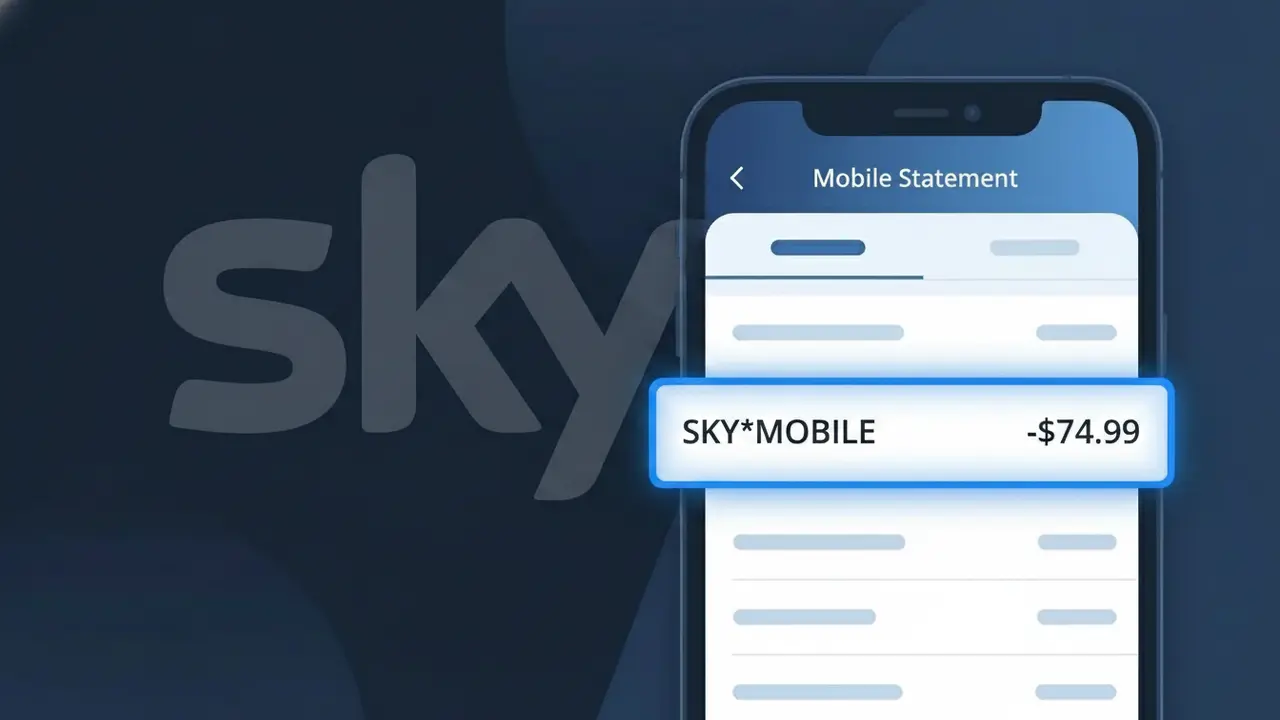
SKY*MOBILE Charge (What It Is + Is It Legit?)
✓ LegitimateThe "SKY*MOBILE" charge is from Sky Mobile. Sky Mobile monthly phone bill.
Sky Mobile
Sky Mobile monthly phone bill.
Category
Telecom
Avg. Charge
£25.00
Country
GB
Billing Cycle
Monthly
Cancel At
sky.com/shop/manage-account
Support
See website
Why this shows on your statement
Sky Mobile uses the truncated billing descriptor SKY*MOBILE on bank statements because their payment processing system follows a parent-company prefix format, where "SKY" identifies the Sky Group brand and "MOBILE" specifies the particular service division being billed. The asterisk acts as a separator commonly used by payment processors to distinguish a company's trading name from its specific product or service line, a format widely adopted across UK telecoms billing systems. If you see SKY*MOBILE appearing as a monthly charge of around £25.00, it is almost certainly your regular Sky Mobile airtime or handset plan payment rather than anything unexpected.
What should you do?
Confirm your Sky Mobile plan
The SKY*MOBILE charge on your statement is your monthly Sky Mobile phone bill. Log in to your Sky account at sky.com to review your current plan details, including your data allowance, any extras, and the exact amount you should be billed each month.
Check the charge amount
Compare the SKY*MOBILE charge amount against your Sky Mobile bill. Log in at sky.com and navigate to your billing section to view your latest invoice. If the amount differs from what you expect, it may reflect a plan upgrade, add-on, or out-of-bundle usage such as roaming charges.
Manage or cancel your Sky Mobile subscription
If you no longer wish to continue your Sky Mobile plan or want to make changes, visit sky.com/shop/manage-account to review your options. From there you can adjust your plan, remove add-ons, or initiate a cancellation request directly through your Sky account.
Contact Sky Mobile support if anything looks off
If the SKY*MOBILE charge appears for an amount you do not recognise or you believe you have been billed in error, contact Sky Mobile customer support directly through sky.com. Have your account details and bank statement ready so the support team can investigate the specific charge quickly.
How to cancel Sky Mobile
Sky Mobile bills you Monthly. To stop future charges, cancel from your account directly.
Cancel at Sky Mobileℹ️ International processing
This charge is processed in GB. You may see a foreign transaction fee from your bank (typically 1-3%).
Should you be worried?
No, this is a legitimate charge from Sky Mobile. However, if you did not authorize this charge or cancelled your subscription, you may be eligible for a refund.
Is the SKY*MOBILE Charge Legitimate or Fraud?
The SKY*MOBILE charge on your bank or credit card statement is almost always a legitimate billing from Sky Mobile, the UK-based mobile network operator. This descriptor appears when Sky Mobile processes a recurring monthly plan payment, a one-off data add-on, or a device instalment charge against your registered payment card. If you or someone in your household holds a Sky Mobile SIM, handset plan, or data bundle, this charge is expected.
- SKY*MOBILE is the official shortened billing descriptor used by Sky Mobile on card statements
- Monthly SIM-only, pay monthly handset, and data add-on plans all appear under this descriptor
- Sky Mobile may charge mid-cycle if you upgrade your plan, purchase a bolt-on, or change your device
- Family group plans can generate multiple SKY*MOBILE charges if several members share one billing account
How to Verify the SKY*MOBILE Charge
- 1
Log into your Sky Mobile account
Visit sky.com/shop/mobile or open the My Sky app, navigate to Billing, and confirm the charge amount matches the SKY*MOBILE entry on your statement.
- 2
Search your email for Sky Mobile receipts
Search your inbox for 'Sky Mobile' or 'sky.com' to find billing confirmation emails that correspond to the date and amount of the SKY*MOBILE charge.
- 3
Check household or family group members
If you manage a Sky Mobile family group, ask other members whether they recently purchased a bolt-on or upgraded their handset, which would trigger a new SKY*MOBILE charge.
- 4
Review active Sky Mobile subscriptions
In the My Sky app, go to My Account > Plans & Add-ons to see every active Sky Mobile subscription tied to your payment card, including data boosters and roaming passes.
- 5
Contact your bank for transaction details
Ask your bank for the full merchant ID behind the SKY*MOBILE charge. This can confirm the transaction originated from Sky Mobile's payment processor before you take further action.
How to Dispute a SKY*MOBILE Charge
- 1
Act within 60 days of the charge
Most banks allow chargebacks on unauthorised SKY*MOBILE charges within 60 days of the statement date, so begin the process as soon as you spot an unrecognised charge.
- 2
Contact Sky Mobile directly first
Call Sky Mobile on 03300 41 41 41 or use the live chat at sky.com/help to explain the dispute. Sky Mobile can often issue a refund faster than a bank chargeback if the charge was an error.
- 3
File a chargeback with your bank or card provider
If Sky Mobile does not resolve the issue, contact your bank and request a formal chargeback, citing the unrecognised SKY*MOBILE transaction reference and the date it appeared.
- 4
Request a new card if fraud is suspected
If you believe your card details were used fraudulently to sign up for a Sky Mobile plan, ask your bank to cancel the compromised card and issue a replacement to prevent further SKY*MOBILE charges.
Tips for Managing Sky Mobile Charges
Enable billing alerts in the My Sky app so you're notified the moment a SKY*MOBILE charge is processed.
Download your Sky Mobile bill each month and compare it line-by-line against SKY*MOBILE entries on your bank statement.
Keep your Sky Mobile account login secure and enable two-factor authentication to prevent unauthorised plan changes.
Note your Sky Mobile billing date so you can anticipate when SKY*MOBILE will appear and spot any unexpected mid-cycle charges.
Review Sky Mobile add-ons every quarter and remove unused data boosters to avoid surprise SKY*MOBILE charges.
Use WhatIsThisCharge.net to identify related charges that may appear alongside SKY*MOBILE on your statement.
ℹ️ Note
In most cases, a SKY*MOBILE charge is a routine and expected billing from Sky Mobile for your monthly mobile plan or a recently purchased data add-on. If the amount looks unfamiliar, a quick check of your My Sky account will usually explain it within seconds.
Questions and answers
Was this page helpful?
Community Reports (1)
1 votesHave you seen this charge? Help others by voting:
Community Comments (0)
No comments yet. Be the first to share your experience!
Share your experience
Your email is only used to verify your comment and will never be shown publicly.
Search Another Charge
Popular Charges

Amazon UK
AMAZON UK*
OnlyFans
ONLYFANS*
Revolut
REVOLUT*
Just Eat
JUST EAT*
Sky TV / Sky Sports
SKY*SUBSCRIPTION
Related Charges
Need to dispute this charge?
Generate a professional dispute letter in seconds with our AI tool.
Open Charge AssistantCommunity Verified
Real user reports
Free to Use
Always free to check
Secure & Private
Your data is safe
Help Millions
48K+ charges identified