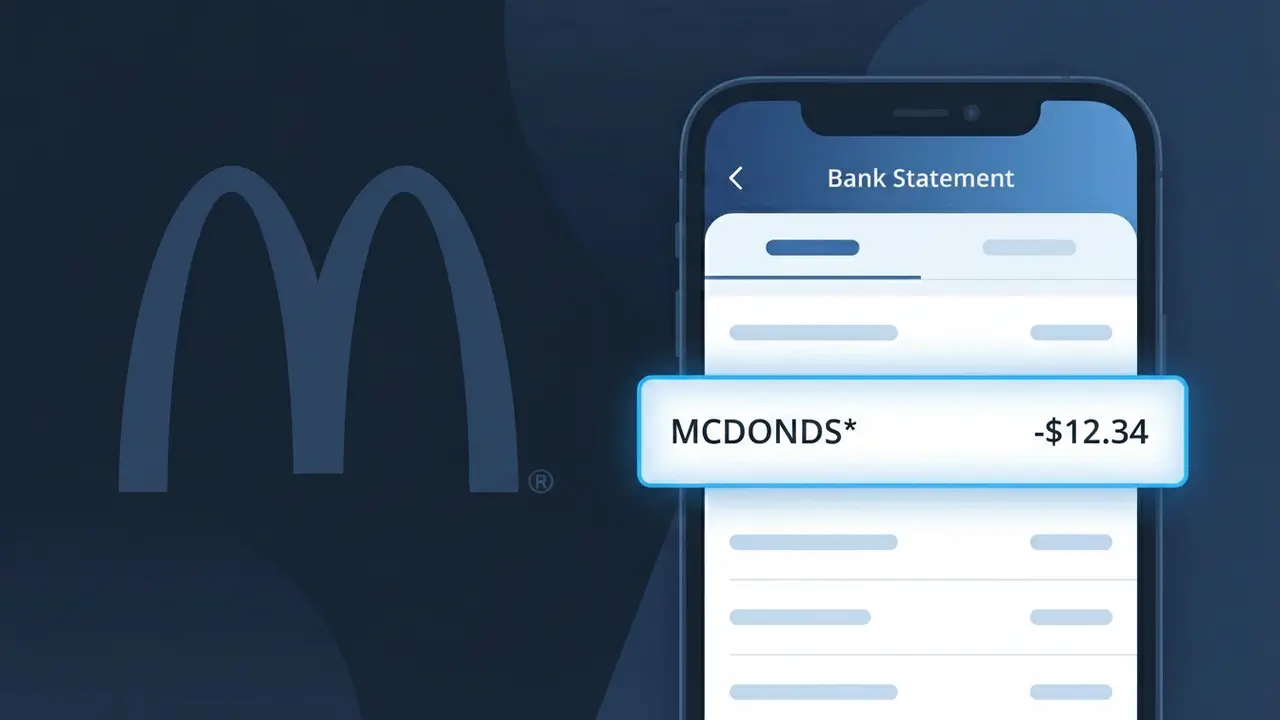
MCDONALDS* Charge (What It Is + Is It Legit?)
✓ LegitimateThe "MCDONALDS*" charge is from McDonald's. McDonald's food purchase.
McDonald's
McDonald's food purchase.
Category
Food
Avg. Charge
$8.00
Country
US
Billing Cycle
One-time
Cancel At
N/A
Support
See website
Understanding this descriptor
When McDonald's processes card payments at its locations, the transaction is routed through Mastercard's payment infrastructure, which is why the asterisk appears in the descriptor as "MCDONALDS*" — the asterisk is a formatting convention used by Mastercard's merchant billing system to separate the brand name from any additional location or transaction identifiers. McDonald's also operates through thousands of individually owned franchise locations across the US, and these franchisees process payments under a standardized truncated descriptor format that drops the apostrophe and formatting from the full "McDonald's" name, since bank statement fields have strict character limits. If you see "MCDONALDS*" on your statement alongside a charge of around $8.00, it almost certainly reflects a routine food purchase at one of McDonald's restaurant locations.
Recommended actions
Match the charge to your visit
Think back to any recent McDonald's visits or mobile app orders. The MCDONALDS* charge on your statement corresponds to a food purchase, so check your email or the McDonald's app order history at mcdonalds.com to find a matching receipt for the date and amount shown.
Check your McDonald's app account
Log into your McDonald's account at mcdonalds.com and review your recent orders. If you used the McDonald's app to order or pay, your transaction history there should match the MCDONALDS* charge on your bank statement, confirming it is a legitimate food purchase.
Verify the amount against your receipt
Compare the exact dollar amount of the MCDONALDS* charge to any paper or digital receipt from your McDonald's purchase. If the amount matches your order total including tax, the charge is accurate and no further action is needed.
Contact McDonald's support if something is off
If the MCDONALDS* charge amount does not match your receipt or you do not recognize the purchase, visit mcdonalds.com to reach McDonald's customer support. You can also contact your bank to flag the specific MCDONALDS* transaction if you believe there was a billing error.
Is this charge fraudulent?
No, this is a legitimate charge from McDonald's. However, if you did not authorize this charge or cancelled your subscription, you may be eligible for a refund.
Is the MCDONALDS* Charge Legitimate or Fraud?
The MCDONALDS* charge on your bank or credit card statement is almost always a legitimate transaction from McDonald's, one of the world's largest fast food chains. This descriptor appears when you make a purchase at a McDonald's restaurant, through the McDonald's app, or via a third-party delivery service linked to McDonald's. If you don't immediately recognize it, there are several common explanations before jumping to fraud conclusions:
- A meal, combo, or beverage purchased in-store or at a McDonald's drive-thru
- An order placed through the official McDonald's app using saved payment details
- A delivery order via the McDonald's app or McDelivery service charged to your card
- A family member or authorized card user who stopped at McDonald's without telling you
How to Verify the MCDONALDS* Charge
- 1
Check your McDonald's app order history
Log into your McDonald's account on the app or at mcdonalds.com and review your recent order history — the amount and date should match the MCDONALDS* charge exactly.
- 2
Search your email for McDonald's receipts
Search your inbox for emails from McDonald's or McDelivery. Digital receipts are sent after app-based purchases and will confirm the MCDONALDS* transaction details.
- 3
Check with household members
Ask family members or anyone who shares your payment method whether they recently visited McDonald's or ordered through the McDonald's app — this is a very common explanation.
- 4
Review any delivery app accounts
If you use Uber Eats or DoorDash, check those order histories too, as McDonald's delivery orders sometimes appear as MCDONALDS* depending on how the payment was processed.
- 5
Contact your bank for details
If you still cannot place the MCDONALDS* charge, call the number on the back of your card. Your bank can provide the exact merchant location, transaction time, and last four digits used.
How to Dispute a MCDONALDS* Charge
- 1
Act within 60 days
Federal law gives you 60 days from your statement date to dispute an unauthorized MCDONALDS* charge. Acting quickly improves your chances of a full refund, so don't delay once you spot a suspicious charge.
- 2
Contact McDonald's customer support first
Reach out to McDonald's directly at mcdonalds.com/contact or via the app's help section. For billing issues tied to an app order, McDonald's support can often issue a refund faster than a bank dispute.
- 3
File a chargeback with your bank
If McDonald's does not resolve the issue, contact your bank or card issuer and formally dispute the MCDONALDS* charge as unauthorized. Provide any receipts, screenshots, or communications you have gathered.
- 4
Request a new card number
If the MCDONALDS* charge appears to be fraudulent and you never visited a McDonald's location, ask your bank to cancel your card and issue a new one to prevent further unauthorized transactions.
Tips for Managing McDonald's Charges
Enable real-time bank alerts so you're notified instantly whenever a MCDONALDS* charge hits your account.
Save your McDonald's app receipts — they make it easy to match any MCDONALDS* charge on your statement.
Secure your McDonald's account with a strong, unique password to prevent unauthorized app orders charged to your card.
Review your statement weekly if you visit McDonald's often — small charges can add up and be easy to overlook.
Use a dedicated card for fast food purchases so any unexpected MCDONALDS* charge is easier to isolate and dispute.
Use WhatIsThisCharge.net to identify other unfamiliar charges that may appear alongside MCDONALDS* on your statement.
ℹ️ Note
In most cases, a MCDONALDS* charge is simply a forgotten drive-thru stop, a family member's lunch, or a McDonald's app order — all completely legitimate and easy to verify through your order history in minutes.
Common questions
Was this page helpful?
Community Reports (0)
0 votesNo votes yet — be the first to report on this charge!
Have you seen this charge? Help others by voting:
Community Comments (0)
No comments yet. Be the first to share your experience!
Share your experience
Your email is only used to verify your comment and will never be shown publicly.
Search Another Charge
Popular Charges

Amazon Marketplace
AMZN MKTP US
Netflix
NETFLIX *SUBSCRIPTION
Netflix
NETFLIX.COM *
Apple
APPLE *SUBSCRIPTION
Apple
APPLE.COM/BILL
Related Charges
Need to dispute this charge?
Generate a professional dispute letter in seconds with our AI tool.
Open Charge AssistantCommunity Verified
Real user reports
Free to Use
Always free to check
Secure & Private
Your data is safe
Help Millions
48K+ charges identified