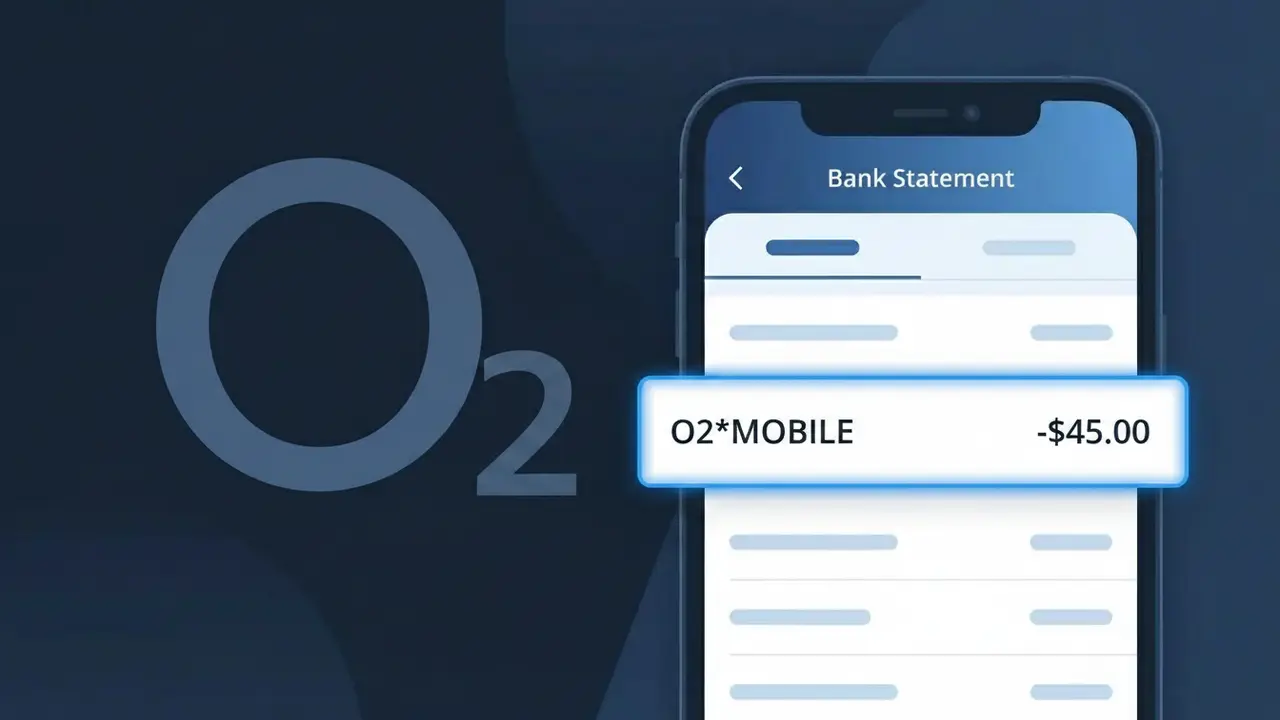
O2*MOBILE Charge (What It Is + Is It Legit?)
✓ LegitimateThe "O2*MOBILE" charge is from O2 Mobile. O2 mobile phone monthly bill.
O2 Mobile
O2 mobile phone monthly bill.
Category
Telecom
Avg. Charge
£25.00
Country
GB
Billing Cycle
Monthly
Cancel At
o2.co.uk/account
Support
See website
What is this charge?
When O2 processes monthly mobile phone bill payments, their billing system uses a truncated descriptor format that combines the brand name with an asterisk separator followed by the service type, resulting in O2*MOBILE appearing on your bank statement rather than the full company name. The asterisk is a standard delimiter used by payment processors to separate the merchant identifier from the product or service description, and O2 has adopted this convention across their UK billing infrastructure. If you see O2*MOBILE on your statement for around £25.00, it is almost certainly your regular O2 monthly mobile contract payment and is nothing to be concerned about.
How to handle this charge
Confirm your O2 Mobile plan
Log in to your O2 account at o2.co.uk/account and check your active mobile plan details. The O2*MOBILE charge on your bank statement should match your monthly bill amount shown in your O2 account dashboard.
Review your O2 billing history
While logged in at o2.co.uk/account, navigate to the billing section and compare your recent invoices against the O2*MOBILE charge on your statement. This will confirm the exact billing date and amount align with your current O2 Mobile contract.
Check for any O2 Mobile plan changes
If the O2*MOBILE charge amount looks different from usual, visit o2.co.uk and review whether you recently upgraded your plan, added extras, or incurred out-of-plan charges such as roaming or premium calls that may have changed your monthly bill total.
Manage or cancel your O2 Mobile subscription
If you no longer wish to continue with O2 Mobile or want to adjust your plan to avoid unexpected O2*MOBILE charges in future, visit o2.co.uk/account to manage your subscription, change your tariff, or initiate a cancellation request directly through your O2 account.
How to cancel O2 Mobile
O2 Mobile bills you Monthly. To stop future charges, cancel from your account directly.
Cancel at O2 Mobileℹ️ International processing
This charge is processed in GB. You may see a foreign transaction fee from your bank (typically 1-3%).
Quick fraud check
No, this is a legitimate charge from O2 Mobile. However, if you did not authorize this charge or cancelled your subscription, you may be eligible for a refund.
Is the O2*MOBILE Charge Legitimate or Fraud?
The O2*MOBILE charge on your bank or credit card statement is most commonly a legitimate billing from O2 Mobile, one of the UK's largest mobile network operators. This descriptor appears when O2 Mobile processes payments for monthly plans, pay-as-you-go top-ups, or add-on services. However, if you don't recognise the amount, it's worth investigating further.
- Monthly O2 Mobile contract or SIM-only plan billing
- One-off device payment or upgrade charge from O2 Mobile
- An O2 Mobile add-on such as extra data, roaming, or a bolt-on service
- A family member or account sharer on your O2 Mobile account making a purchase
How to Verify the O2*MOBILE Charge
- 1
Log into your O2 Mobile account
Visit the My O2 portal or open the My O2 app and review your recent bills and transaction history to match the O2*MOBILE charge amount and date.
- 2
Search your email for O2 Mobile receipts
Search your inbox for emails from O2 Mobile or noreply@o2.co.uk — look for billing confirmations or upgrade notices that match the O2*MOBILE charge.
- 3
Check household or shared account members
If you share an O2 Mobile family plan or business account, ask other members whether they made a purchase or upgraded a device that could explain the O2*MOBILE charge.
- 4
Review O2 Mobile add-ons and bolt-ons
Log into My O2 and check your active bolt-ons, such as extra data passes or international roaming packages, which often appear as a separate O2*MOBILE line item.
- 5
Contact your bank for more details
Ask your bank for the full merchant details behind the O2*MOBILE transaction, including the exact merchant ID and billing date, to help confirm whether it is genuine.
How to Dispute a O2*MOBILE Charge
- 1
Act within 60 days
Most banks allow chargebacks within 60 days of the O2*MOBILE charge appearing on your statement, so start the dispute process as soon as you spot an unrecognised transaction.
- 2
Contact O2 Mobile first
Call O2 Mobile customer service on 202 (from your O2 phone) or 0344 809 0202 and explain the unrecognised O2*MOBILE charge — they can often resolve billing errors quickly.
- 3
File a chargeback with your bank
If O2 Mobile cannot resolve the issue, contact your bank or card provider and formally dispute the O2*MOBILE charge, providing any reference numbers from your O2 Mobile conversation.
- 4
Request a new card if fraud is suspected
If you believe the O2*MOBILE charge is the result of fraud rather than a billing error, ask your bank to cancel your card and issue a replacement to prevent further unauthorised charges.
Tips for Managing O2 Mobile Charges
Enable O2 Mobile billing alerts in My O2 to get notified the moment an O2*MOBILE charge is processed.
Download your monthly O2 Mobile PDF bill to keep a clear record of every O2*MOBILE line item.
Secure your My O2 account with a strong password and two-factor authentication to prevent unauthorised O2 Mobile purchases.
Note your O2 Mobile billing cycle date so you can anticipate when the O2*MOBILE charge will appear each month.
Use a dedicated card for your O2 Mobile plan to make it easy to spot any unexpected O2*MOBILE charges.
Use WhatIsThisCharge.net to identify related charges that may appear alongside O2*MOBILE on your statement.
ℹ️ Note
In most cases, an O2*MOBILE charge is simply O2 Mobile billing you for your monthly mobile plan, a data bolt-on, or a device payment — seeing this descriptor on your statement is completely normal and does not indicate fraud.
Frequently Asked Questions
Was this page helpful?
Community Reports (0)
0 votesNo votes yet — be the first to report on this charge!
Have you seen this charge? Help others by voting:
Community Comments (0)
No comments yet. Be the first to share your experience!
Share your experience
Your email is only used to verify your comment and will never be shown publicly.
Search Another Charge
Popular Charges

Amazon UK
AMAZON UK*
OnlyFans
ONLYFANS*
Revolut
REVOLUT*
Just Eat
JUST EAT*
Sky TV / Sky Sports
SKY*SUBSCRIPTION
Related Charges
Need to dispute this charge?
Generate a professional dispute letter in seconds with our AI tool.
Open Charge AssistantCommunity Verified
Real user reports
Free to Use
Always free to check
Secure & Private
Your data is safe
Help Millions
48K+ charges identified